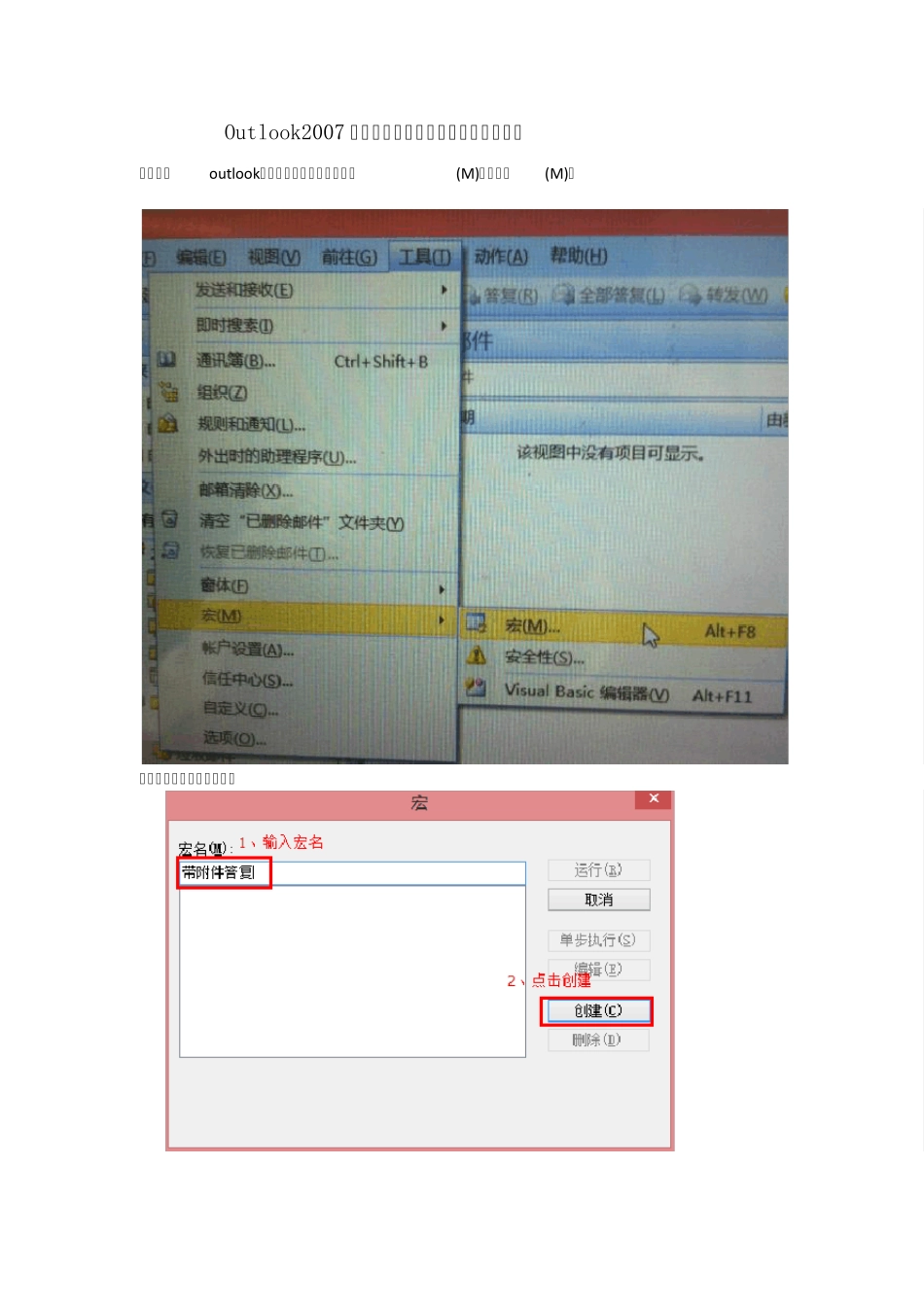
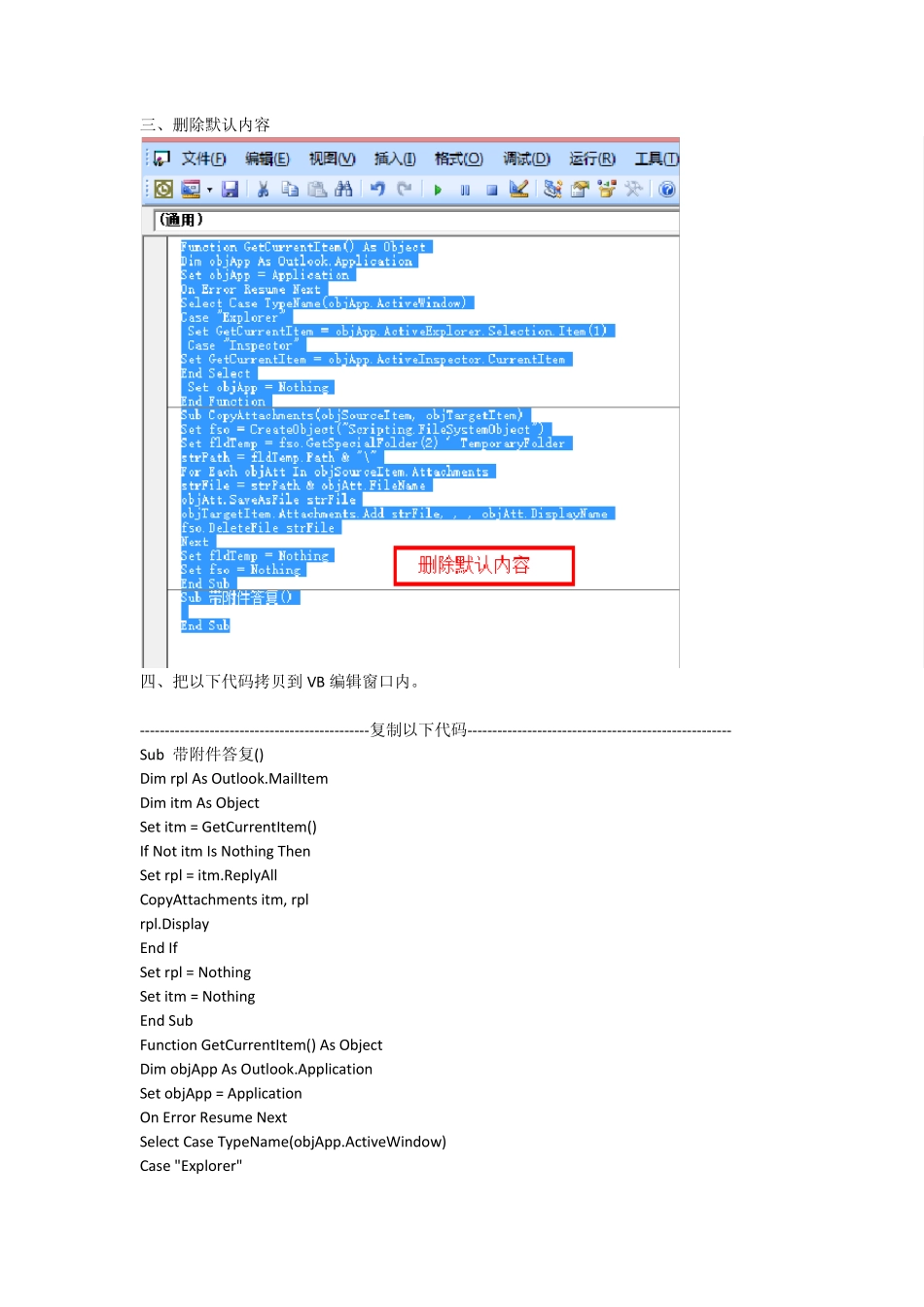
Outlook2007 添加答复所有人时带附件的操作方法 一、打开ou tlook,点击菜单【工具】—【宏(M)】—【宏(M)】 二、输入宏名后点击创建
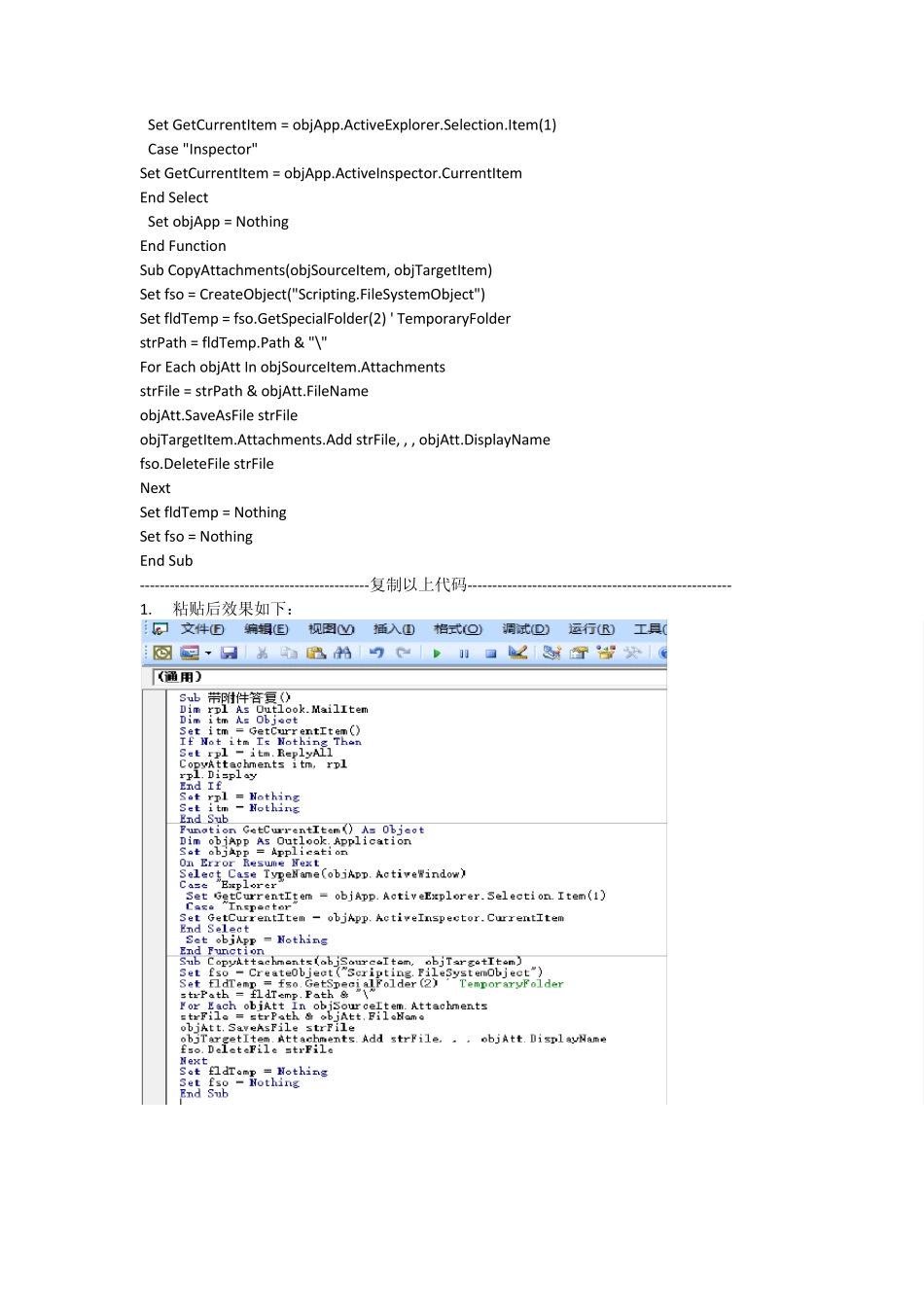
三、删除默认内容 四、把以下代码拷贝到 VB 编辑窗口内
----------------------------------------------复制以下代码----------------------------------------------------- Sub 带附件答复() Dim rpl As Outlook
MailItem Dim itm As Object Set itm = GetCurrentItem() If Not itm Is Nothing Then Set rpl = itm
ReplyAll CopyAttachments itm, rpl rpl
Display End If Set rpl = Nothing Set itm = Nothing End Sub Function GetCurrentItem() As Object Dim objApp As Outlook
Application Set objApp = Application On Error Resume Next Select Case TypeName(objApp
ActiveWindow) Case "Explorer" Set GetCurrentItem = objApp
ActiveExplorer
Selection
Item(1) Case "Inspector" Set GetCurrentItem = objApp
ActiveInspector
CurrentItem End Select Set objApp = Nothing End Function Sub CopyAt