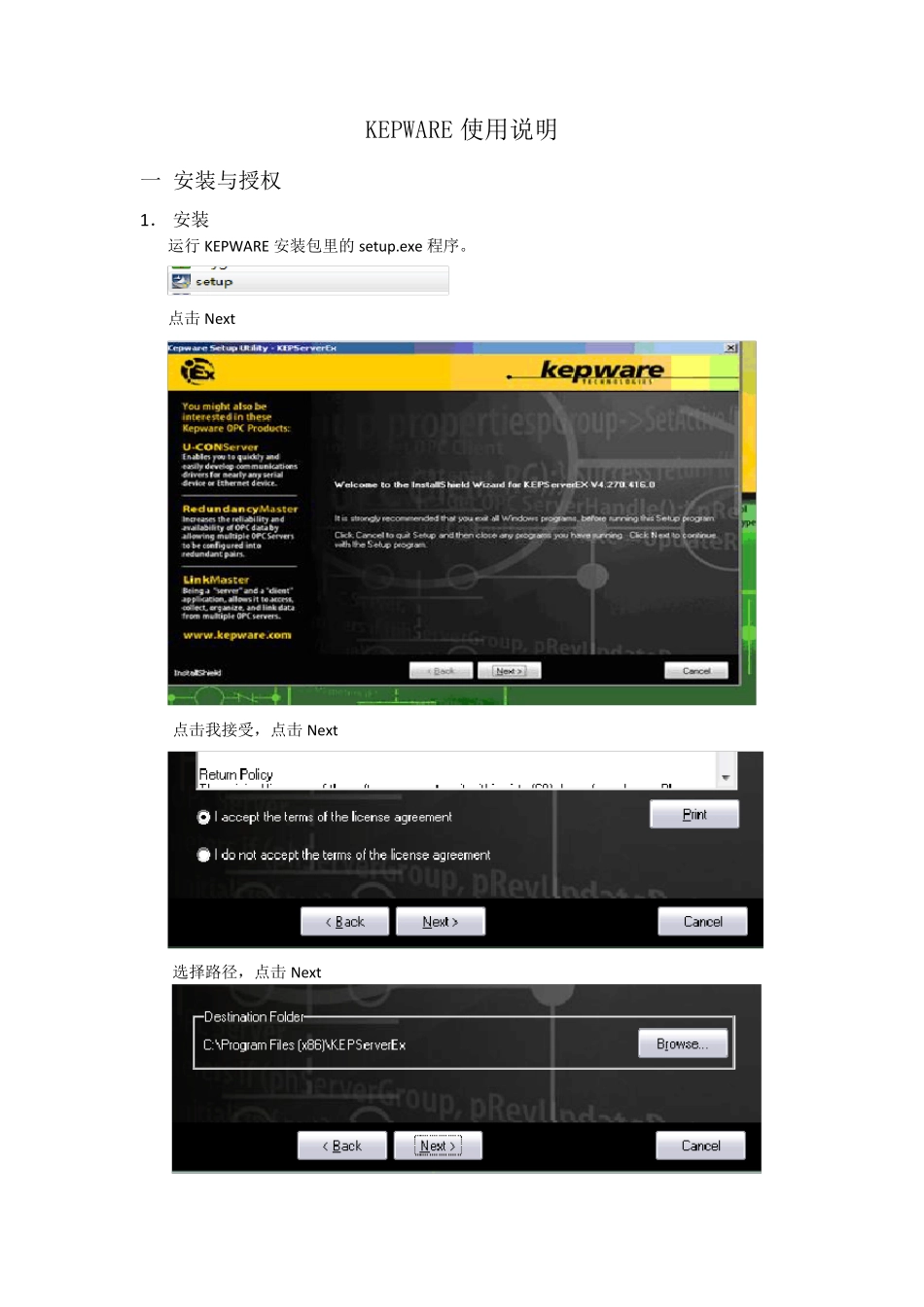
KEPWARE 使用说明 一 安装与授权 1. 安装 运行KEPWARE 安装包里的setup
exe 程序
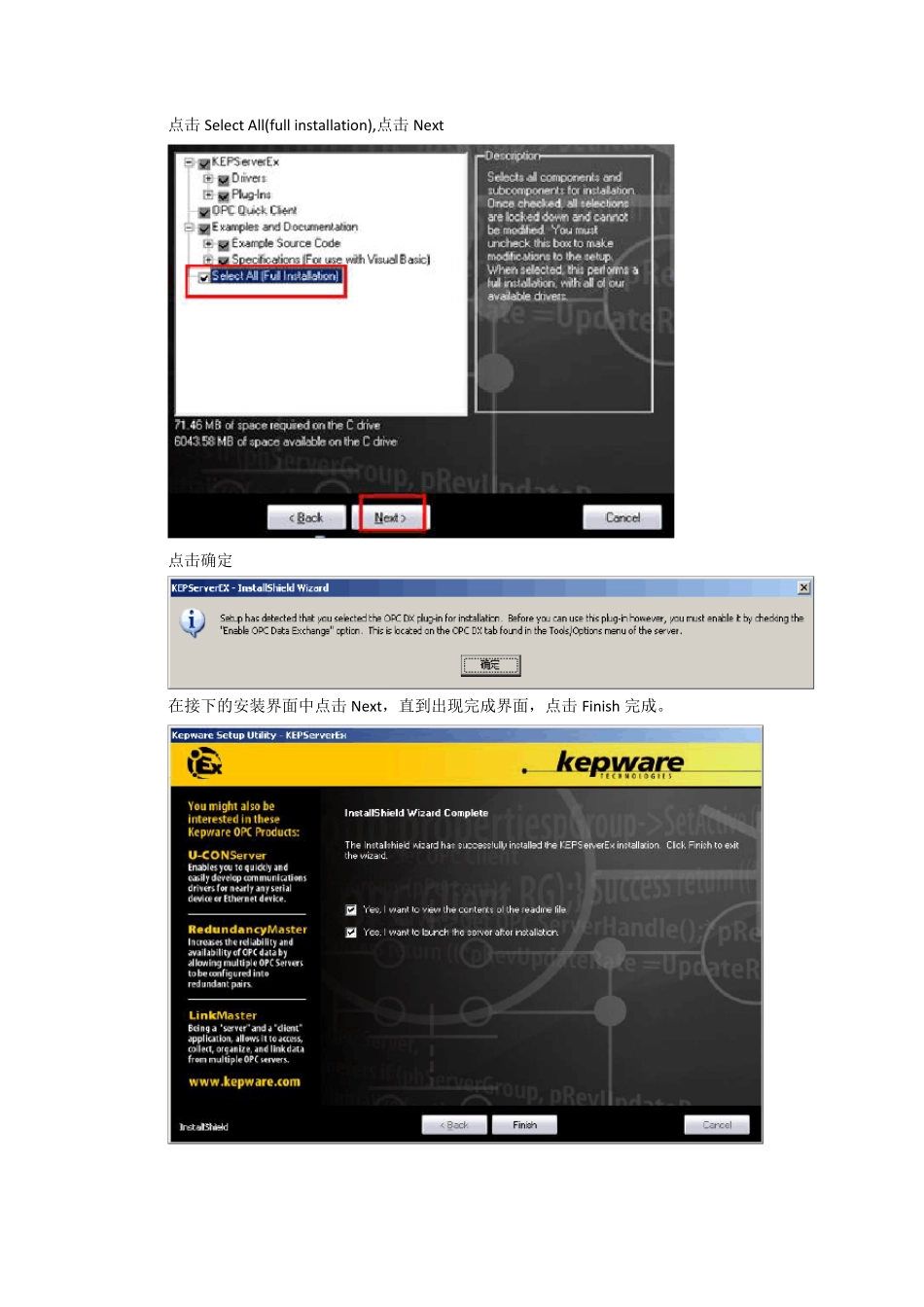
点击 Next 点击我接受,点击 Next 选择路径,点击 Next 点击Select All(full installation),点击Next 点击确定 在接下的安装界面中点击Next,直到出现完成界面,点击Finish 完成
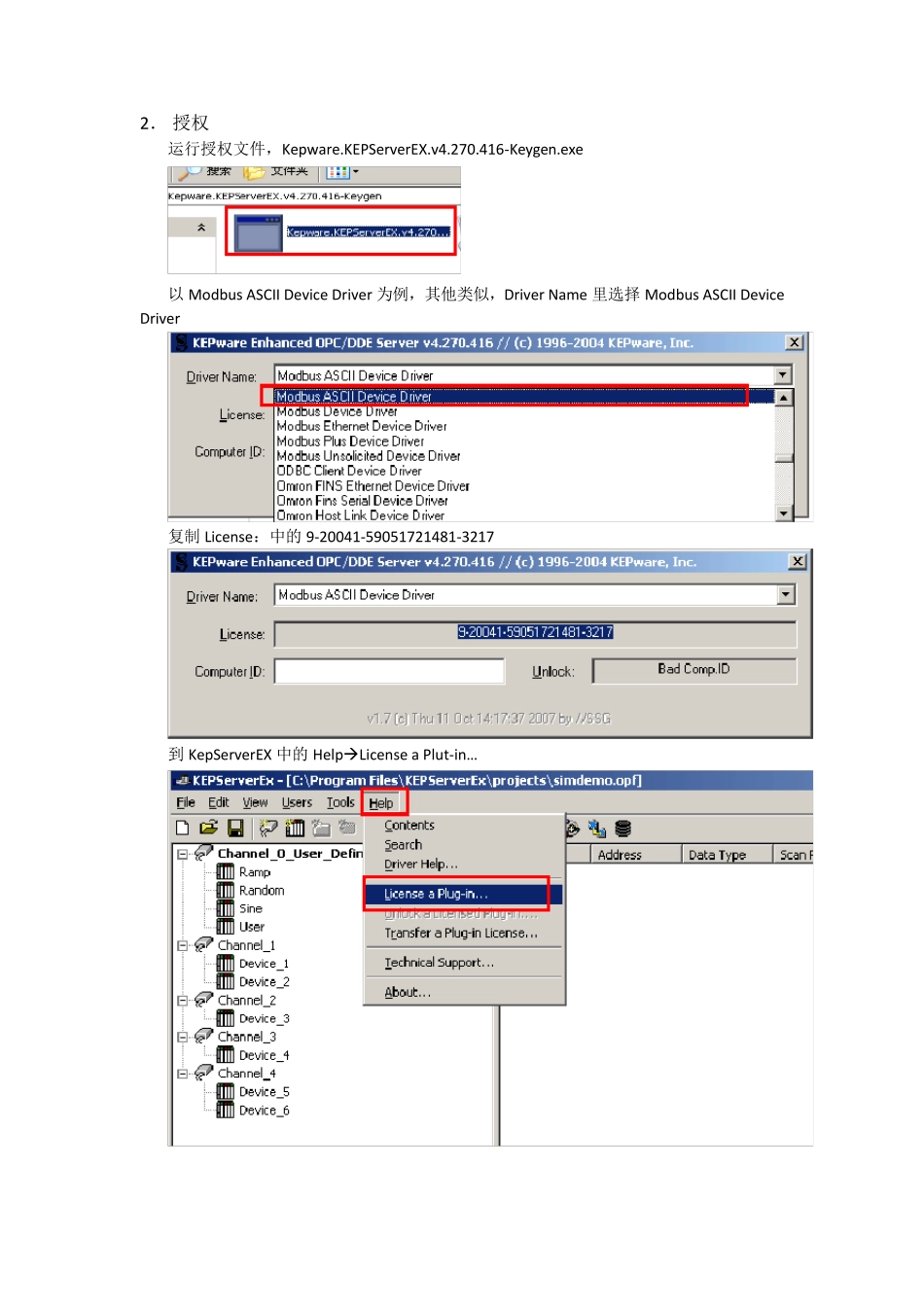
2. 授权 运行授权文件,Kepware
KEPServerEX
416-Keygen
exe 以Modbus ASCII Device Driver 为例,其他类似,Driver Name 里选择Modbus ASCII Device Driver 复制License:中的 9-20041-59051721481-3217 到 KepServerEX 中的 HelpLicense a Plut-in… 在Drivers:Name 中选择同样的驱动 Modbus ASCII Device Driver,点击 License… 将授权得到的授权号 9-20041-59051721481-3217,复制到 License 框中,点击 OK 点击是(Y) 复制 Computer ID 中的:1230923-237756953 到授权中 粘贴刚才得到的 Computer ID,1230923-237756953,到 Computer ID 中,并复制 Unlock:中的 028625035210496,到软件中 粘贴刚才得到的Unlock,028625035210496,到软件中的Passw ord,点击OK 授权成功 注:1
下图中的基础内容必须全部完成注册,特别是OPC Data Exchange Server
2.OPC 通讯对应的驱动是下图中OPC DA Client Driver
二 变量连接 1
添加通道 点