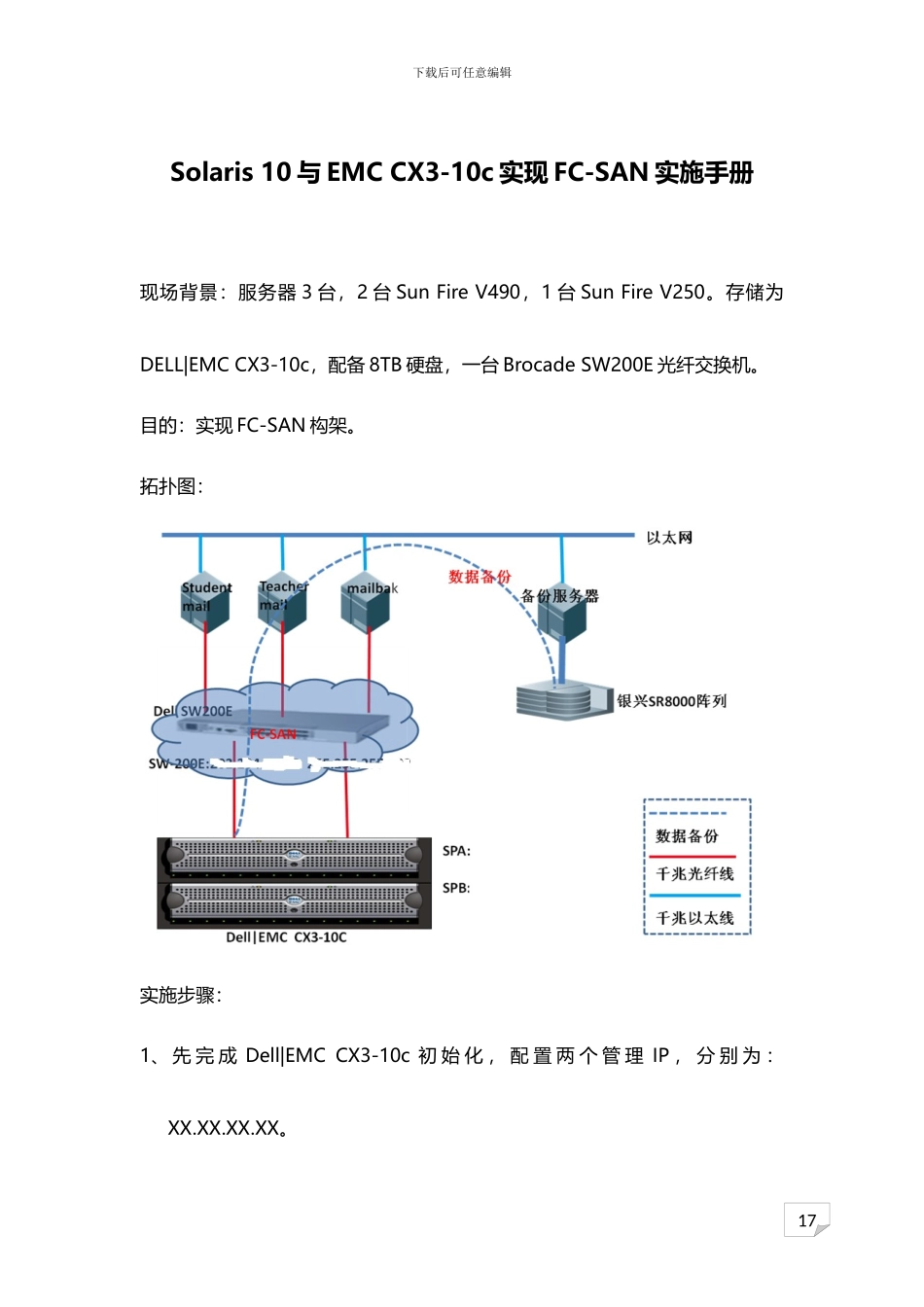
17下载后可任意编辑Solaris 10 与 EMC CX3-10c 实现 FC-SAN 实施手册现场背景:服务器 3 台,2 台 Sun Fire V490,1 台 Sun Fire V250
存储为DELL|EMC CX3-10c,配备 8TB 硬盘,一台 Brocade SW200E 光纤交换机
目的:实现 FC-SAN 构架
拓扑图:实施步骤:1、 先 完 成 Dell|EMC CX3-10c 初 始 化 , 配 置 两 个 管 理 IP , 分 别 为 :XX
17下载后可任意编辑2、 建立服务器、光纤交换机、存储之间的链路
3、 初始化光纤交换机,配置管理地址:XX
XX4、 在 Navisphere Manager 管理界面发现链路
5、 在服务器端安装 Navisphere agent 注册,安装 PowerPath 多链路管理软件
具体安装操作如下:Navisphere agent 的安装与配置先将光盘 mount 上后,再执行下面的命令:pkgadd -d NAVIAGNT
pkg会出现下述提示信息,根据提示信息选择安装即可
Select the packages that you want to install by doing one of thefollowing:
Enter 1 (to install the host agent)or
Enter 2 (to install CLI) or Enter All (to install both the host agentand CLI)17下载后可任意编辑Enter y and y to begin the installation
The installation program looks for any agent configuration f