4 Radon 变换 5
4 Matlab 中的实现[4] 例、对一个正方形黑框进行 Radon 变换
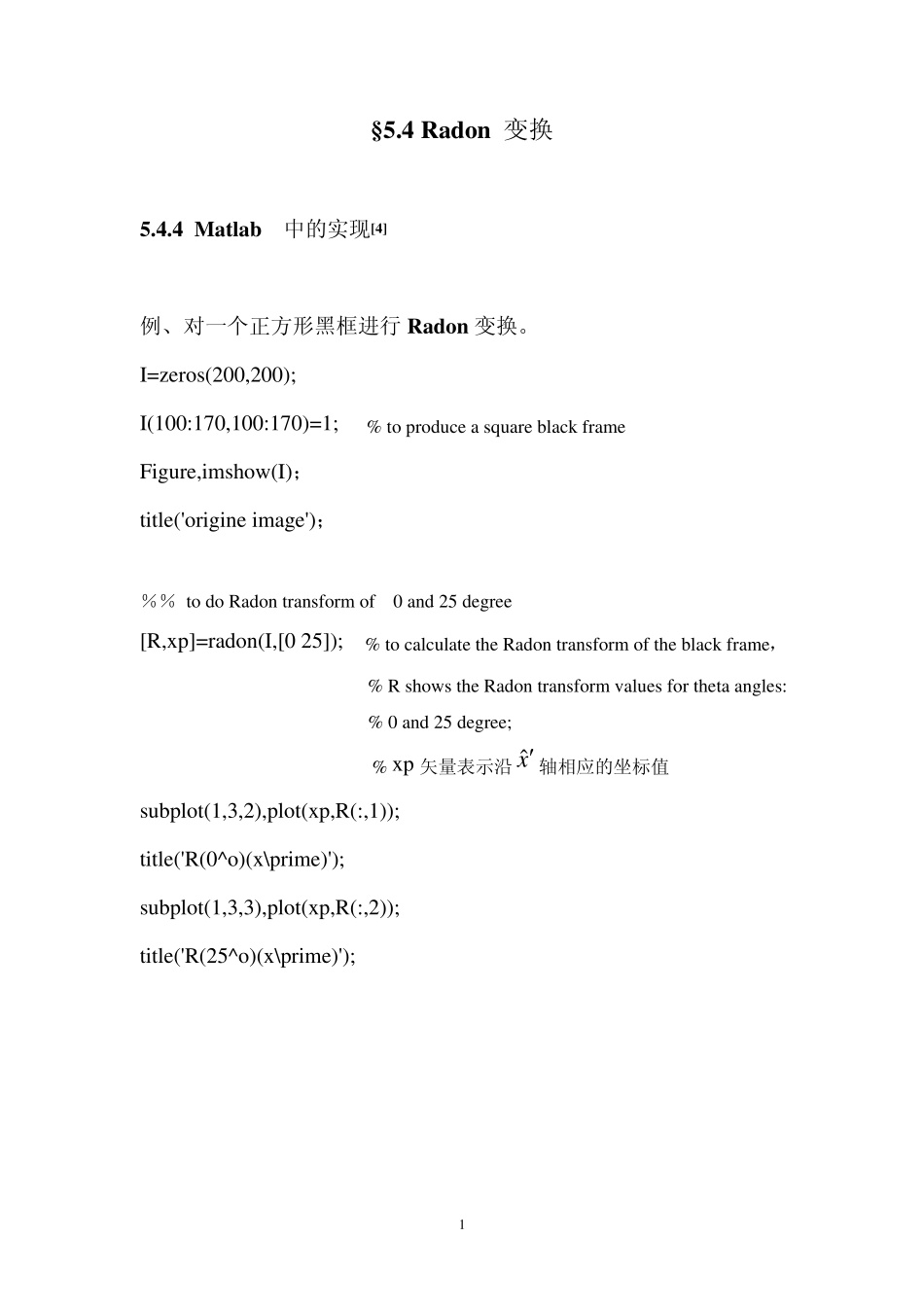
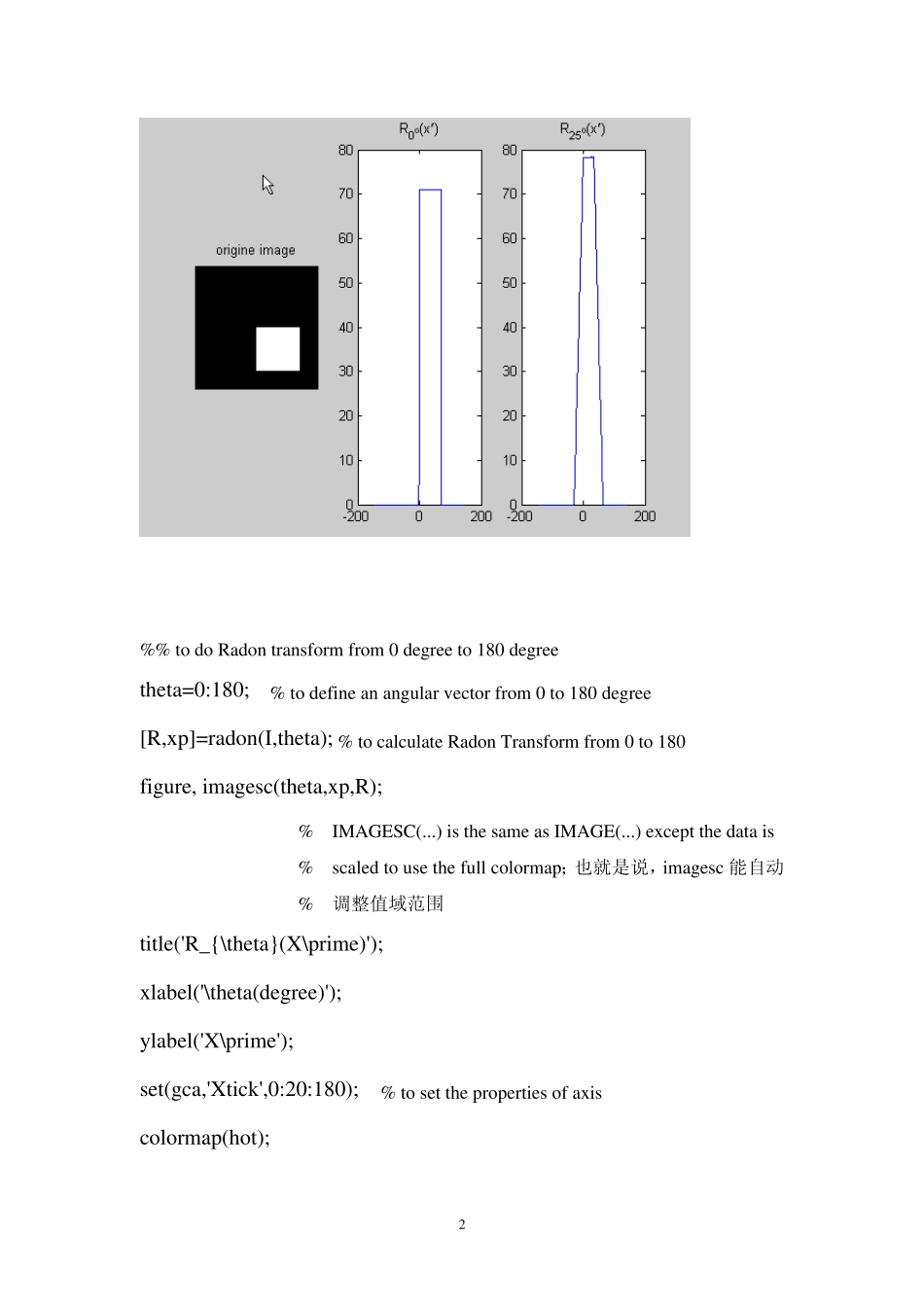
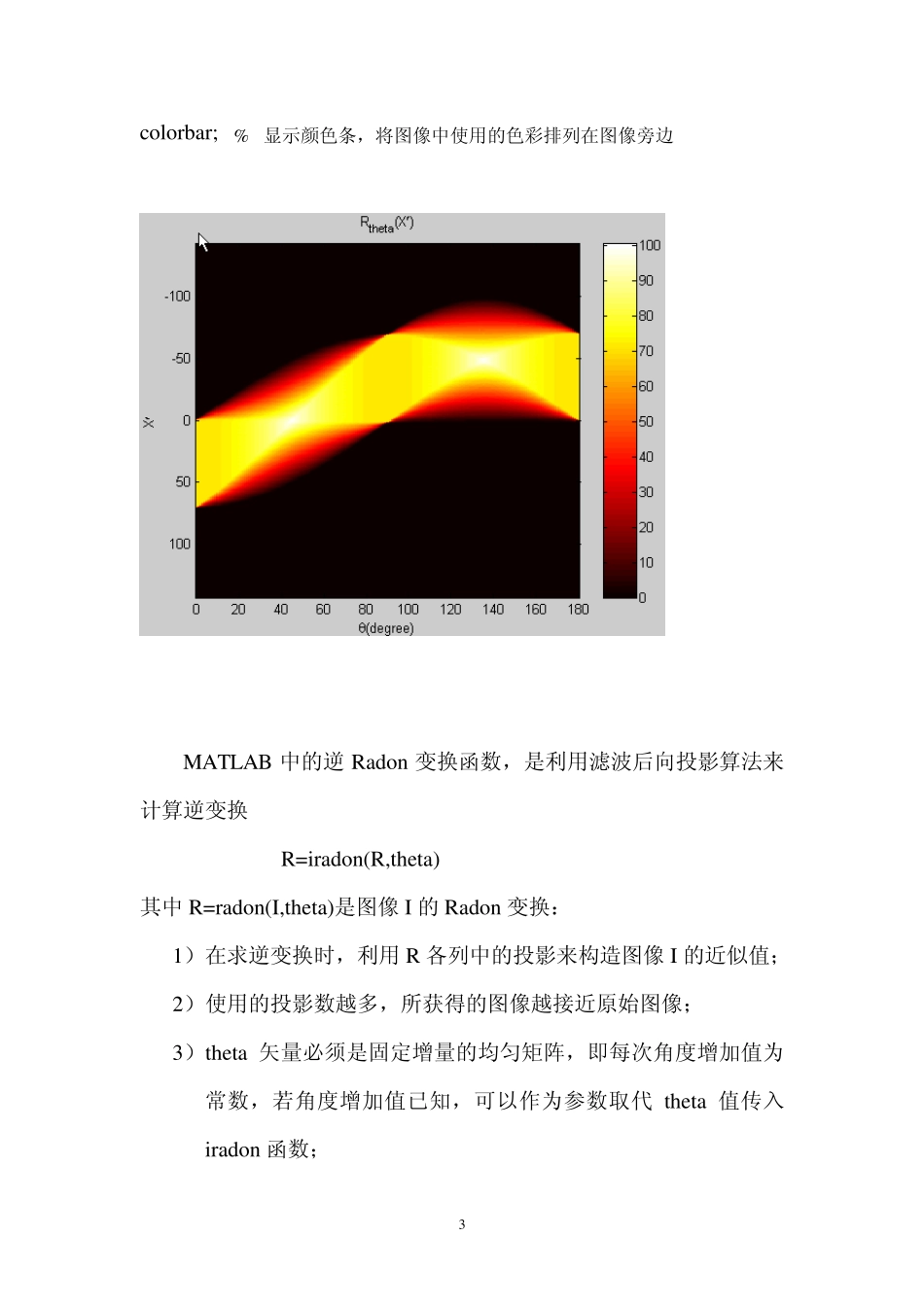
I=zeros(200,200); I(100:170,100:170)=1; % to produce a square black frame Figure,imshow(I); title('origine image'); %% to do Radon transform of 0 and 25 degree [R,xp]=radon(I,[0 25]); % to calculate the Radon transform of the black frame, % R shows the Radon transform values for theta angles: % 0 and 25 degree; % xp 矢量表示沿 ˆx′ 轴相应的坐标值 subplot(1,3,2),plot(xp,R(:,1)); title('R(0^o)(x\prime)'); subplot(1,3,3),plot(xp,R(:,2)); title('R(25^o)(x\prime)'); 1 %% to do Radon transform from 0 degree to 180 degree theta=0:180; % to define an angular vector from 0 to 180 degree [R,xp]=radon(I,theta); % to calculate Radon Transform from 0 to 180 figure, imagesc(theta,xp,R); % IMAGESC(
) is the same as IMAGE(