电脑桌面
添加小米粒文库到电脑桌面
安装后可以在桌面快捷访问

数据库系统概论实验二

数据库系统概论实验二_第1页
1/6
数据库系统概论实验二_第2页
2/6
数据库系统概论实验二_第3页
3/6
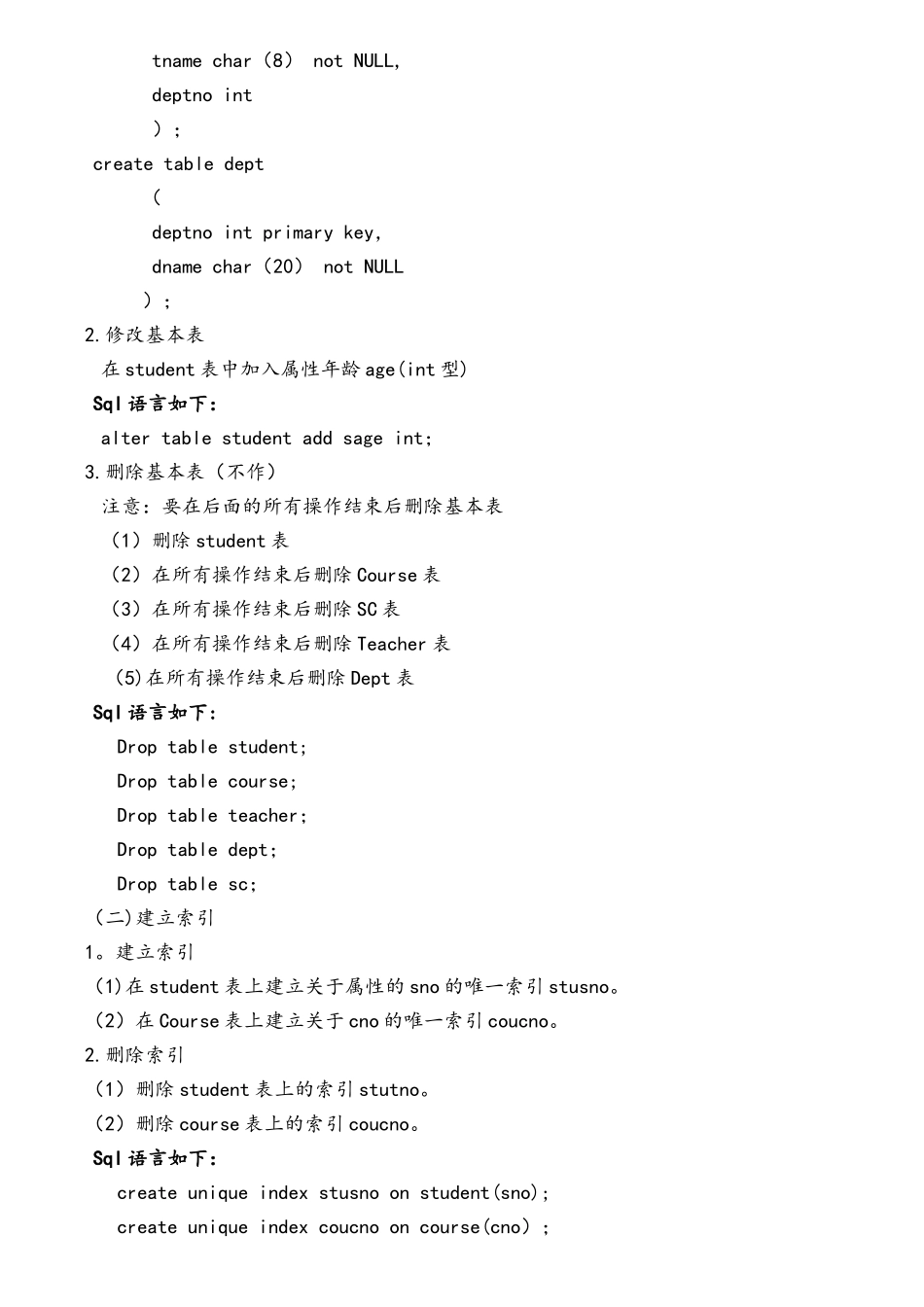
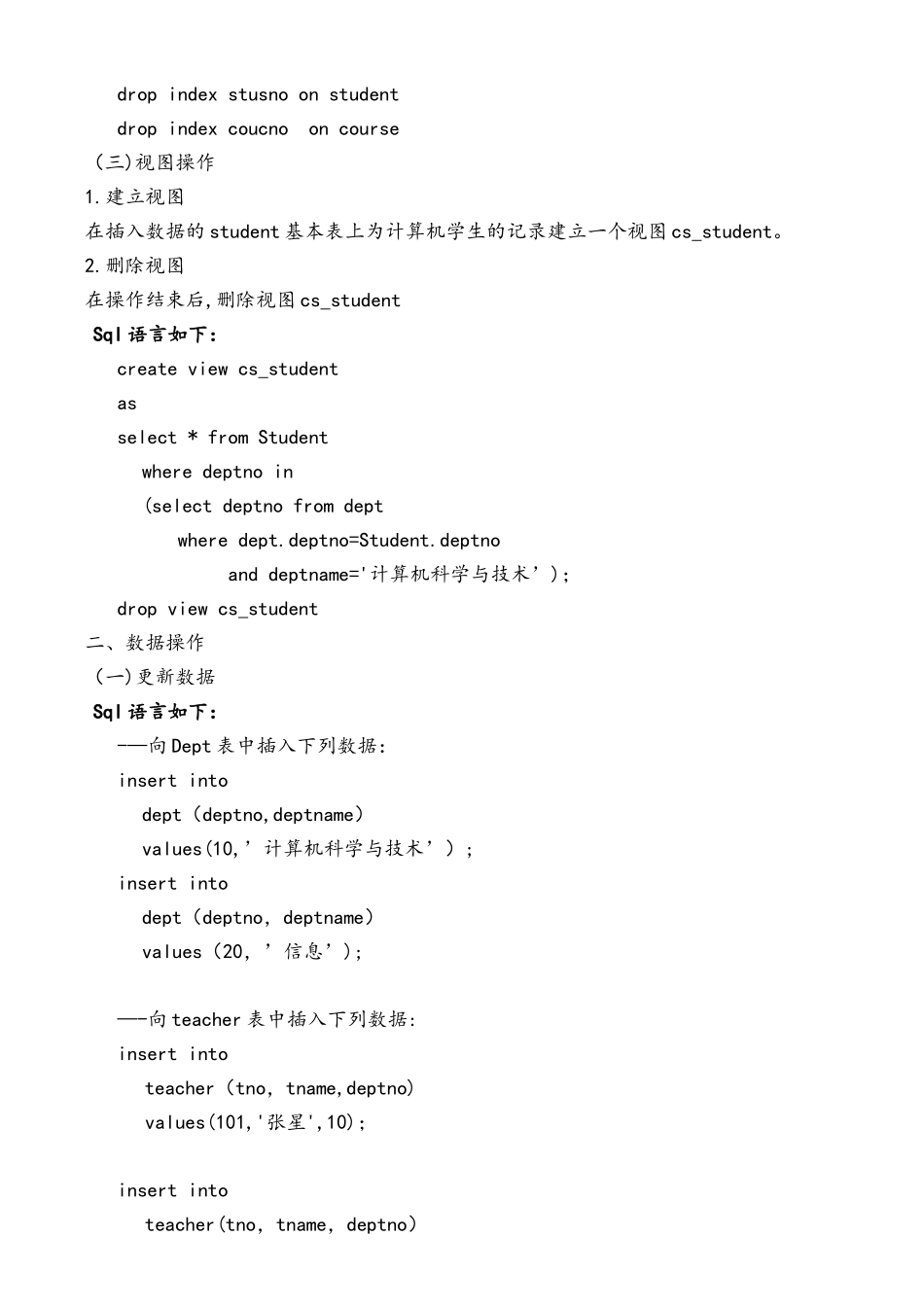
实验内容一、数据定义(一)基本表操作1。建立基本表在数据库 test 中建立 3 章基本表:Student、Course 和 SC(1).创建学生表 Student(Sno,Sname,Ssex,deptno) (2)创建课程表 Course(cno,cname,tno,credit) (3).创建学生选课表 SC(sno,cno,grade), (4)。创建老师表 teacher(tno,tname,deptno) (5).创建系表 dept(deptno,dname) Sql 语言如下:create table student(sno int primary key,sname char(8) unique,ssex char(2),deptno int);create table course(cno int primary key,cname char(20) not NULL,tno int,credit int,foreign key (tno) references teacher(tno));create table sc(sno int,cno int,grade int,primary key(sno,cno),foreign key (sno) references student(sno),foreign key(cno) references course(cno));create table teacher(tno int primary key, tname char(8) not NULL, deptno int );create table dept( deptno int primary key, dname char(20) not NULL);2.修改基本表在 student 表中加入属性年龄 age(int 型)Sql 语言如下:alter table student add sage int;3.删除基本表(不作)注意:要在后面的所有操作结束后删除基本表(1)删除 student 表(2)在所有操作结束后删除 Course 表(3)在所有操作结束后删除 SC 表(4)在所有操作结束后删除 Teacher 表 (5)在所有操作结束后删除 Dept 表Sql 语言如下:Drop table student;Drop table course;Drop table teacher;Drop table dept;Drop table sc;(二)建立索引1。建立索引(1)在 student 表上建立关于属性的 sno 的唯一索引 stusno。(2)在 Course 表上建立关于 cno 的唯一索引 coucno。2.删除索引(1)删除 student 表上的索引 stutno。(2)删除 course 表上的索引 coucno。Sql 语言如下: create unique index stusno on student(sno);create unique index coucno on course(cno);drop index stusno on studentdrop index coucno on course(三)视图操作1.建立视图在插入数据的 student 基本表上为计算机学生的记录建立一个视图 cs_student。2.删除视图在操作结束后,删除视图 cs_studentSql 语言如下:create view cs_student as select...

1、当您付费下载文档后,您只拥有了使用权限,并不意味着购买了版权,文档只能用于自身使用,不得用于其他商业用途(如 [转卖]进行直接盈利或[编辑后售卖]进行间接盈利)。
2、本站所有内容均由合作方或网友上传,本站不对文档的完整性、权威性及其观点立场正确性做任何保证或承诺!文档内容仅供研究参考,付费前请自行鉴别。
3、如文档内容存在违规,或者侵犯商业秘密、侵犯著作权等,请点击“违规举报”。

碎片内容

数据库系统概论实验二

您可能关注的文档

确认删除?
VIP
微信客服
  • 扫码咨询
会员Q群
  • 会员专属群点击这里加入QQ群
客服邮箱
回到顶部