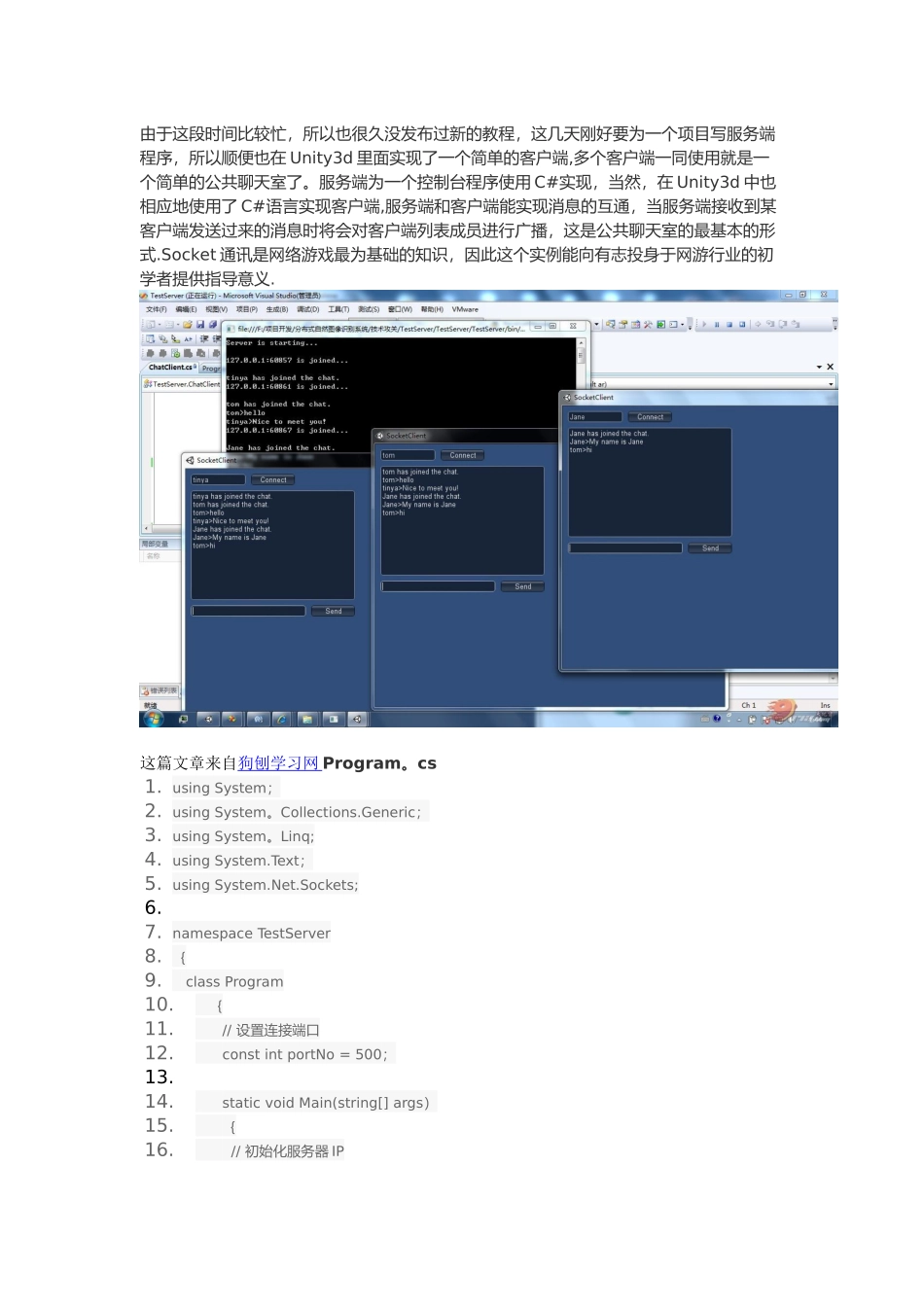
由于这段时间比较忙,所以也很久没发布过新的教程,这几天刚好要为一个项目写服务端程序,所以顺便也在 Unity3d 里面实现了一个简单的客户端,多个客户端一同使用就是一个简单的公共聊天室了。服务端为一个控制台程序使用 C#实现,当然,在 Unity3d 中也相应地使用了 C#语言实现客户端,服务端和客户端能实现消息的互通,当服务端接收到某客户端发送过来的消息时将会对客户端列表成员进行广播,这是公共聊天室的最基本的形式.Socket 通讯是网络游戏最为基础的知识,因此这个实例能向有志投身于网游行业的初学者提供指导意义.这篇文章来自狗刨学习网 Program。cs1. using System;2. using System。Collections.Generic;3. using System。Linq;4. using System.Text;5. using System.Net.Sockets;6.7. namespace TestServer8. {9. class Program10. {11. // 设置连接端口12. const int portNo = 500;13.14. static void Main(string[] args)15. {16. // 初始化服务器 IP17. System。Net.IPAddress localAdd = System.Net.IPAddress。Parse(”127。0.0。1");18.19. // 创建 TCP 侦听器20. TcpListener listener = new TcpListener(localAdd, portNo);21.22. listener.Start();23.24. // 显示服务器启动信息25. Console.WriteLine("Server is starting。。。\n”);26.27. // 循环接受客户端的连接请求28. while (true)29. {30. ChatClient user = new ChatClient(listener。AcceptTcpClient());31.32. // 显示连接客户端的 IP 与端口33. Console.WriteLine(user。_clientIP + ” is joined.。.\n”);34. }35. }36. }37.}复制代码ChatClient.cs1. using System;2. using System。Collections。Generic;3. using System。Linq;4. using System.Text;5. using System。Collections;6. using System.Net。Sockets;7.8. namespace TestServer9. {10. class ChatClient11. {12. public static Hashtable ALLClients = new Hashtable(); // 客户列表13.14. private TcpClient _client; // 客户端实体15. public string _clientIP; // 客户端 IP16. private string _clientNick; // 客户端昵称17.18. private byte[] data; // 消息数据19.20. private bool ReceiveNick = true;21.22....