电脑桌面
添加小米粒文库到电脑桌面
安装后可以在桌面快捷访问

VBA使用EXCEL读取身份证阅读器获得证件信息

VBA使用EXCEL读取身份证阅读器获得证件信息_第1页
1/3
VBA使用EXCEL读取身份证阅读器获得证件信息_第2页
2/3
VBA使用EXCEL读取身份证阅读器获得证件信息_第3页
3/3
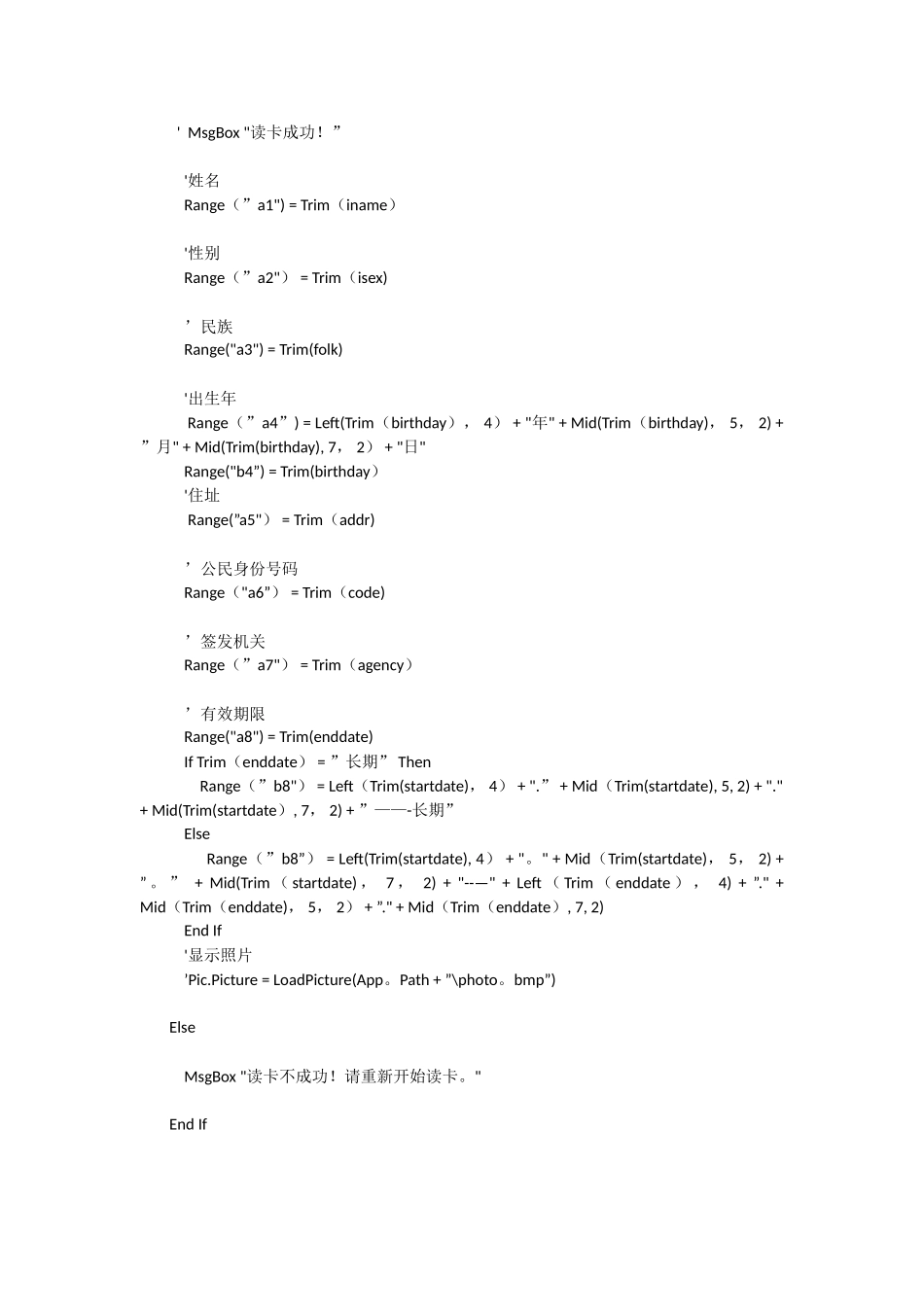
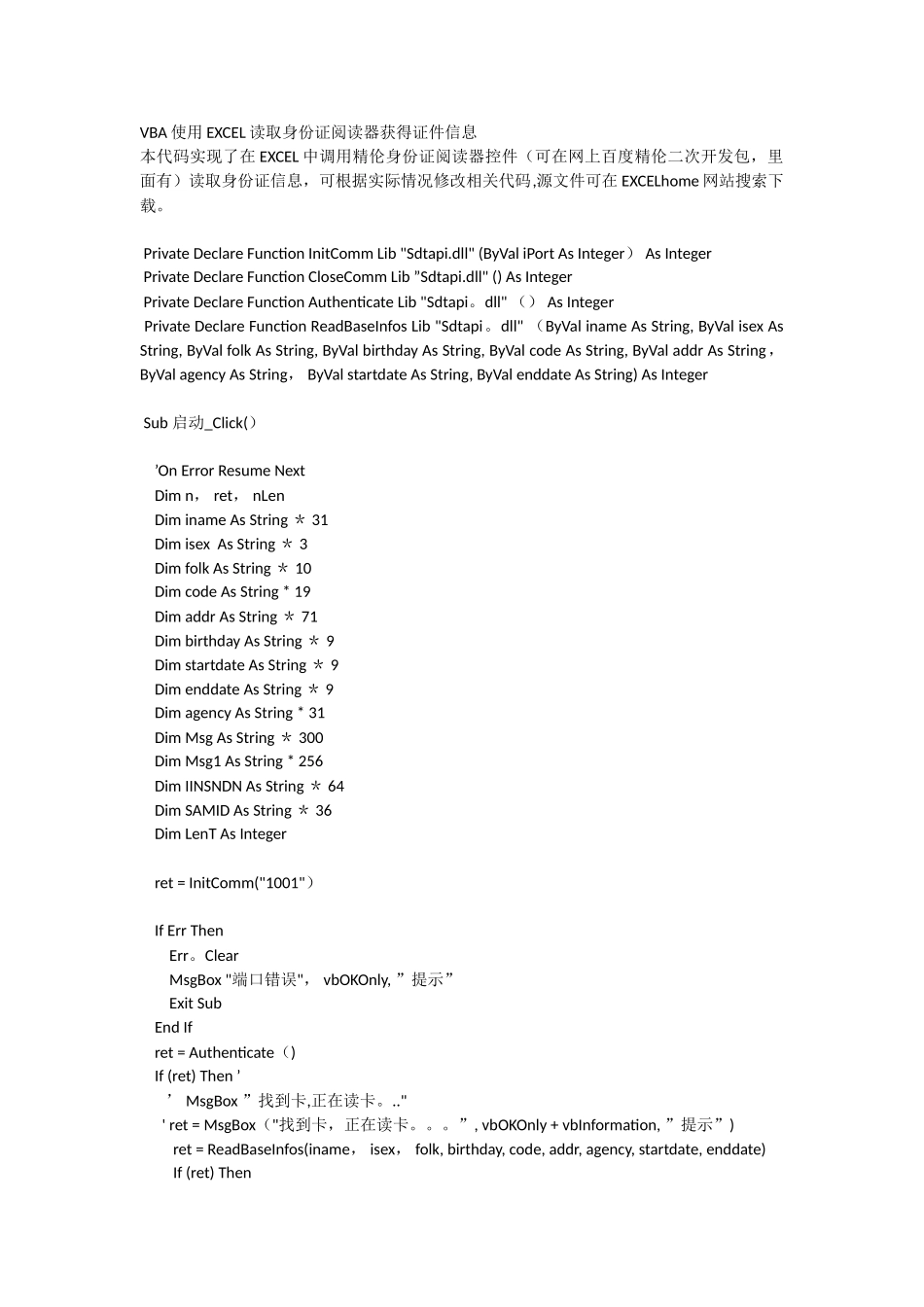
VBA 使用 EXCEL 读取身份证阅读器获得证件信息本代码实现了在 EXCEL 中调用精伦身份证阅读器控件(可在网上百度精伦二次开发包,里面有)读取身份证信息,可根据实际情况修改相关代码,源文件可在 EXCELhome 网站搜索下载。 Private Declare Function InitComm Lib "Sdtapi.dll" (ByVal iPort As Integer) As Integer Private Declare Function CloseComm Lib ”Sdtapi.dll" () As Integer Private Declare Function Authenticate Lib "Sdtapi。dll" () As Integer Private Declare Function ReadBaseInfos Lib "Sdtapi。dll" (ByVal iname As String, ByVal isex As String, ByVal folk As String, ByVal birthday As String, ByVal code As String, ByVal addr As String, ByVal agency As String, ByVal startdate As String, ByVal enddate As String) As Integer Sub 启动_Click() ’On Error Resume Next Dim n, ret, nLen Dim iname As String * 31 Dim isex As String * 3 Dim folk As String * 10 Dim code As String * 19 Dim addr As String * 71 Dim birthday As String * 9 Dim startdate As String * 9 Dim enddate As String * 9 Dim agency As String * 31 Dim Msg As String * 300 Dim Msg1 As String * 256 Dim IINSNDN As String * 64 Dim SAMID As String * 36 Dim LenT As Integer ret = InitComm("1001") If Err Then Err。Clear MsgBox "端口错误", vbOKOnly, ”提示” Exit Sub End If ret = Authenticate() If (ret) Then ’ ’ MsgBox ”找到卡,正在读卡。.." ' ret = MsgBox("找到卡,正在读卡。。。”, vbOKOnly + vbInformation, ”提示”) ret = ReadBaseInfos(iname, isex, folk, birthday, code, addr, agency, startdate, enddate) If (ret) Then ' MsgBox "读卡成功!” '姓名 Range(”a1") = Trim(iname) '性别 Range(”a2") = Trim(isex) ’民族 Range("a3") = Trim(folk) '出生年 Range(”a4”) = Left(Trim(birthday), 4) + "年" + Mid(Trim(birthday), 5, 2) + ”月" + Mid(Trim(birthday), 7, 2) + "日" Range("b4”) = Trim(birthday) '住址 Range(”a5") = Trim(addr) ’公民身份号码 Range("a6”) = Trim(code) ’签发机关 Range(”a7") = Trim(agency) ’有效期限 Range("a8") = Trim(enddate) If Trim(enddate) = ”长期” Then Range(”b8") = Left(Trim(startdate), 4) + ".” + Mid(Trim(startdate), 5, 2) + "." + Mid(Trim(startdate), 7, 2) + ”——-长期” Else Range(”b8”) = Left(Trim(startdate), 4) + "。" + Mid(Trim(startdate), 5, 2) + ” 。 ” + Mid(Trim ( startdate) , 7 , 2) + "--—" + Left ( Trim ( enddate ) , 4) + ”." + Mid(Trim(enddate), 5, 2) + ”." + Mid(Trim(enddate), 7, 2) End If '显示照片 ’Pic.Picture = LoadPicture(App。Path + ”\photo。bmp”) Else MsgBox "读卡不成功!请重新开始读卡。" End If Else MsgBox ”未找到卡!请将卡远离后再置于机具上。" End If ret = CloseComm()End Sub
1、当您付费下载文档后,您只拥有了使用权限,并不意味着购买了版权,文档只能用于自身使用,不得用于其他商业用途(如 [转卖]进行直接盈利或[编辑后售卖]进行间接盈利)。
2、本站所有内容均由合作方或网友上传,本站不对文档的完整性、权威性及其观点立场正确性做任何保证或承诺!文档内容仅供研究参考,付费前请自行鉴别。
3、如文档内容存在违规,或者侵犯商业秘密、侵犯著作权等,请点击“违规举报”。

碎片内容

VBA使用EXCEL读取身份证阅读器获得证件信息

确认删除?
VIP
微信客服
  • 扫码咨询
会员Q群
  • 会员专属群点击这里加入QQ群
客服邮箱
回到顶部