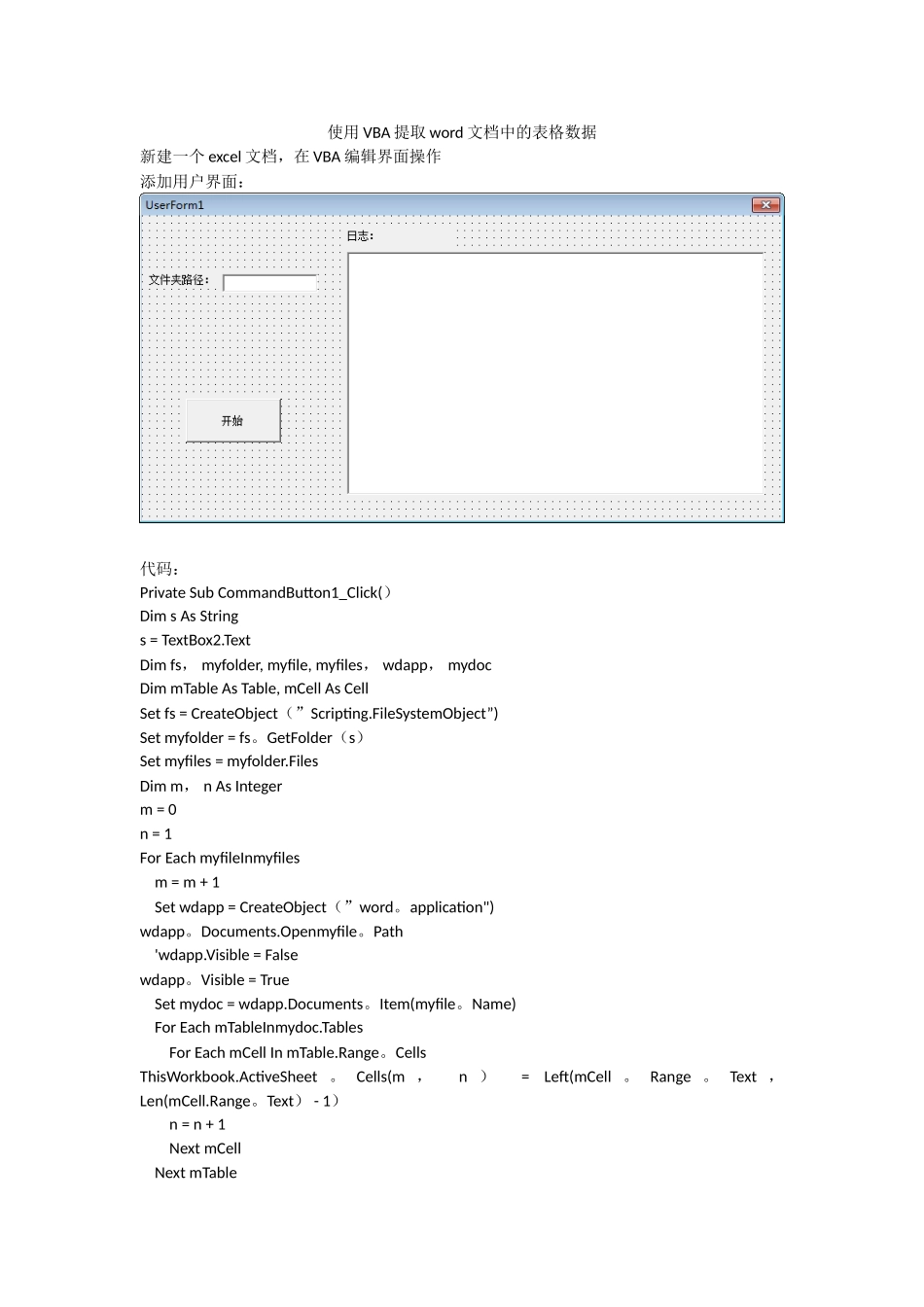
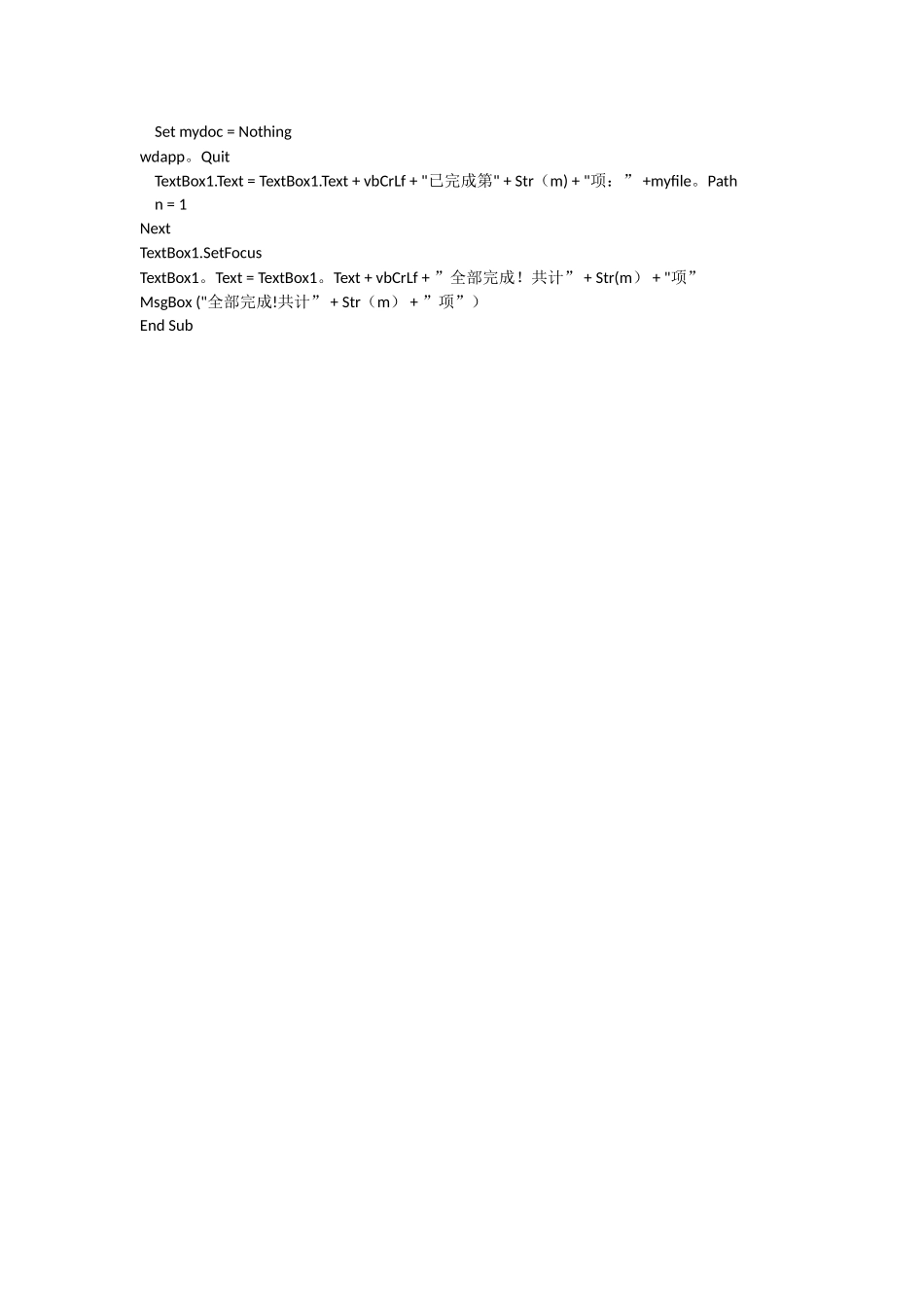
使用 VBA 提取 word 文档中的表格数据新建一个 excel 文档,在 VBA 编辑界面操作添加用户界面:代码:Private Sub CommandButton1_Click()Dim s As Strings = TextBox2
TextDim fs, myfolder, myfile, myfiles, wdapp, mydocDim mTable As Table, mCell As CellSet fs = CreateObject(”Scripting
FileSystemObject”)Set myfolder = fs
GetFolder(s)Set myfiles = myfolder
FilesDim m, n As Integerm = 0n = 1For Each myfileInmyfiles m = m + 1 Set wdapp = CreateObject(”word
application")wdapp
Documents
Openmyfile
Path 'wdapp
Visible = Falsewdapp
Visible = True Set mydoc = wdapp
Documents
Item(myfile
Name) For Each mTableInmydoc
Tables For Each mCell In mTable
CellsThisWorkbook
ActiveSheet
Cells(m , n ) = Left(mCell
Text , Len(mCell
Text) - 1) n = n + 1 Next mCell Next mTable Set mydoc = Nothingwdapp
Quit TextBox1
Text = TextBox1