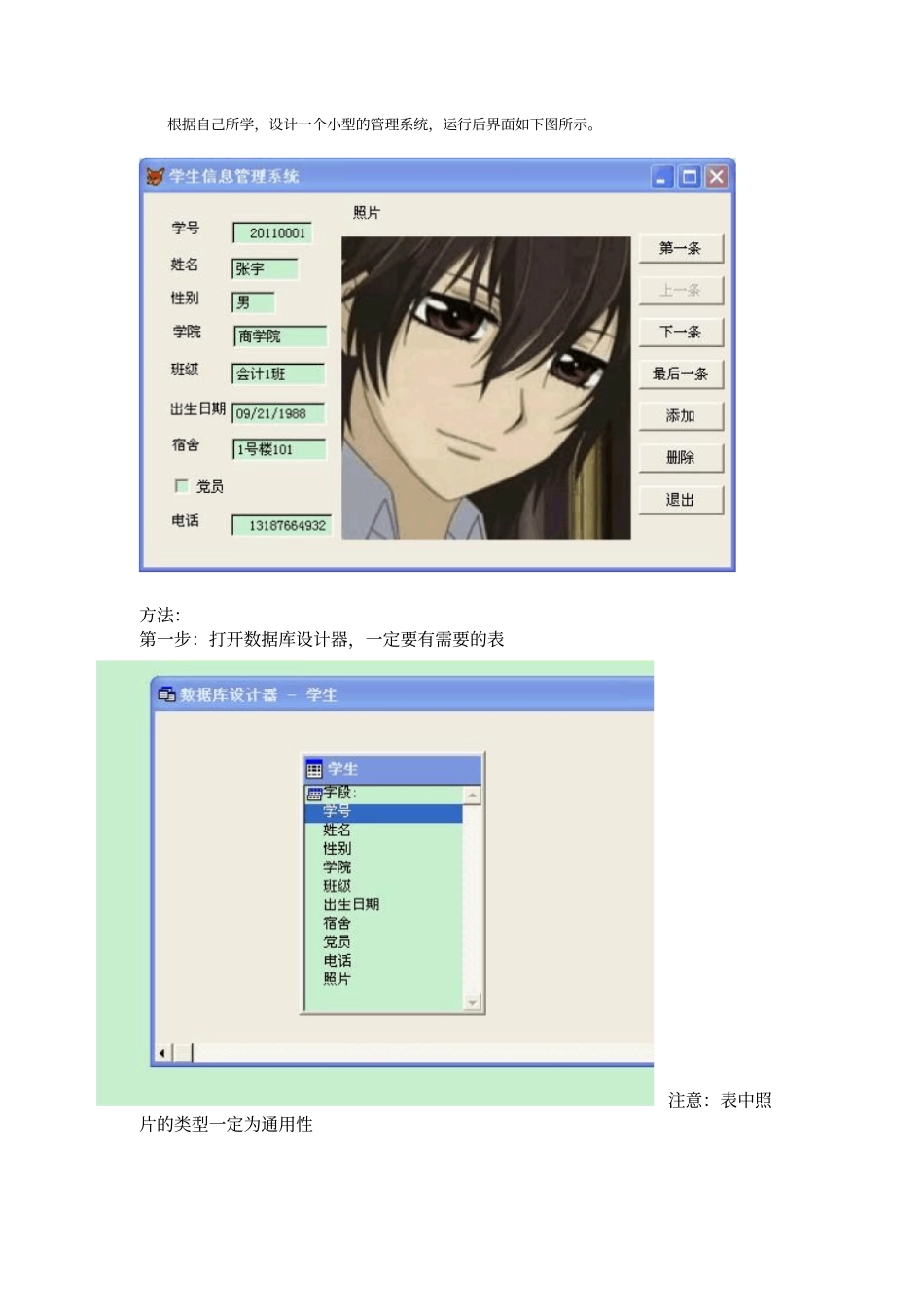
根据自己所学,设计一个小型的管理系统,运行后界面如下图所示
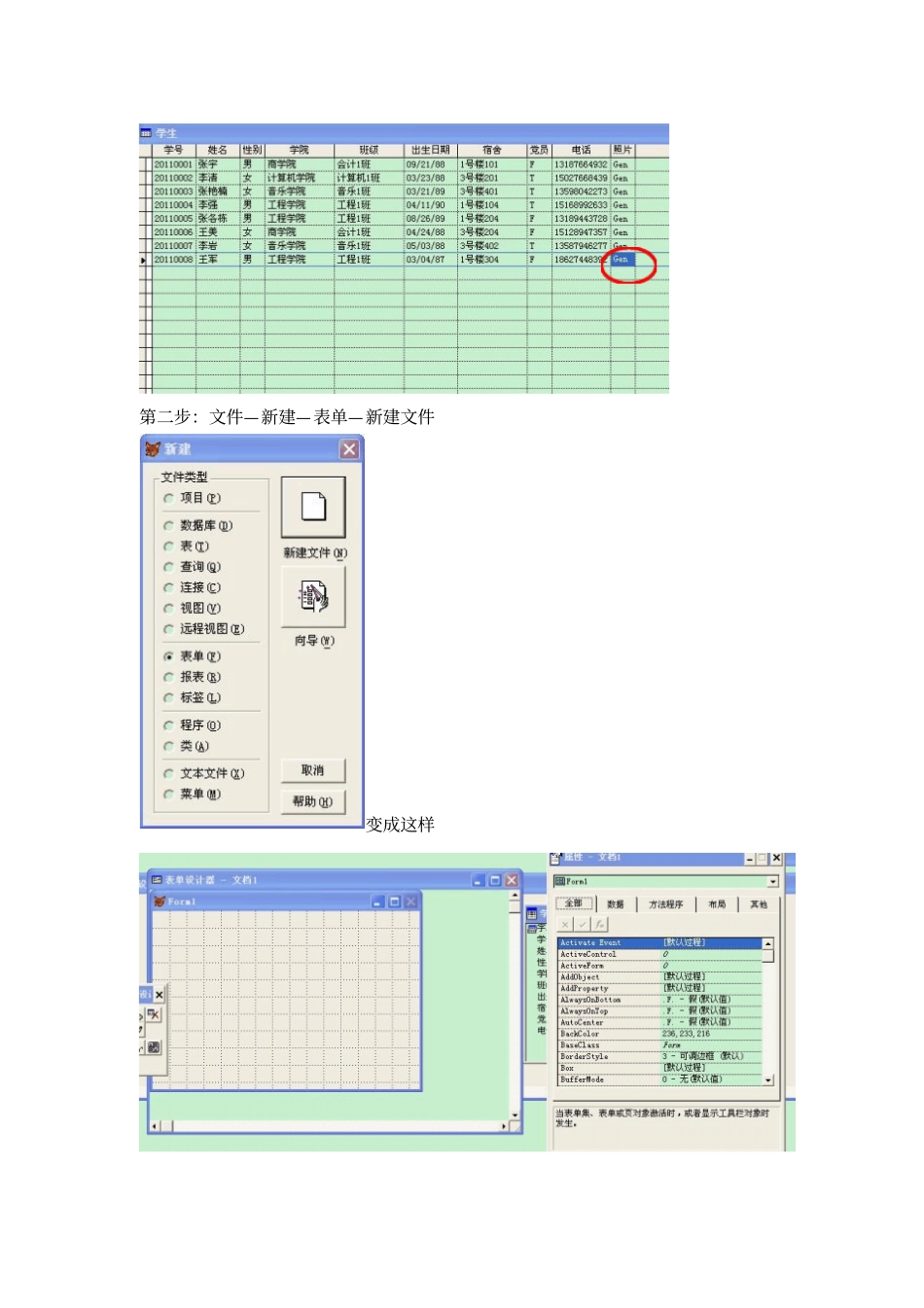
方法:第一步:打开数据库设计器,一定要有需要的表注意:表中照片的类型一定为通用性添加照片时,先打开数据表, ,再双击照片下的相应位置(gen),再复制你自己选择的照片, 一定要是
bmp 格式的,要是不是
bmp 格式的就可以用画图等工具将
jpg 的图片转化为
bmp 格式的添加完照片后,变为Gen 第二步:文件—新建—表单—新建文件变成这样第三步:选中表单的caption,更改表单名,改完一定要按回车键第四步将表中的学号、姓名、性别等分别拖动到表单中可以按住 shift,选中每个框,用上下左右键用上线左右键调节位置在右边增加(按一下命令按钮在表单上点击一下即可)命令按钮,并更改名称这个表单大体的样式已经做完,剩下的就是要写每个命令按钮的命令
给大家写几个大家可以最为参考来看首先打开页面的时候是第一条,所以上一条是灰色的,可以找到enabled(默认为真
)双击使它变为假
第一条thisform
command4
enabled=
go top thisform
refresh() 上一条thisform
command4
enabled=
skip -1 if bof() go top thisform
command1
enabled=
else thisform
command1
enabled=
endif thisform
refresh() 下一条thisform
command2
enabled=
thisform
command1
enabled=
skip if eof() go bottom thisform
command4
enabled=
endif thisform
refresh() 最后一条thisform
comman