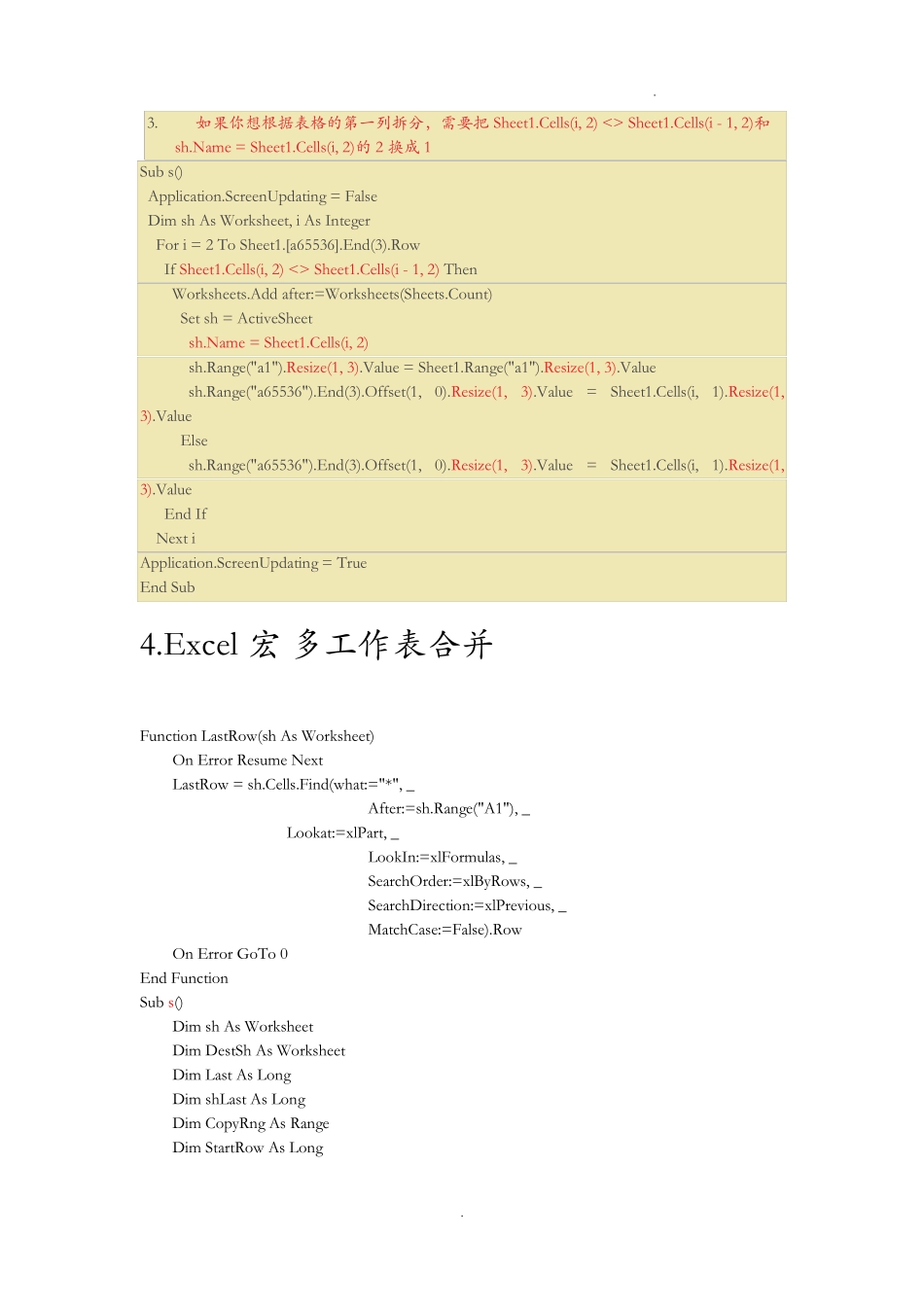
. . 1. 拆分单元格赋值 Sub 拆分填充() Dim x As Range For Each x In ActiveSheet.UsedRange.Cells If x.MergeCells Then x.Select x.UnMerge Selection.Value = x.Value End If Next x End Sub 2. Excel 宏 按列拆分多个 excel Sub Macro1() Dim wb As Workbook, arr, rng As Range, d As Object, k, t, sh As Worksheet, i& Set rng = Range("A1:f1") Application.ScreenUpdating = False Application.DisplayAlerts = False arr = Range("a1:a" & Range("b" & Cells.Rows.Count).End(xlUp).Row) Set d = CreateObject("scripting.dictionary") For i = 2 To UBound(arr) If Not d.Exists(arr(i, 1)) Then Set d(arr(i, 1)) = Cells(i, 1).Resize(1, 13) Else Set d(arr(i, 1)) = Union(d(arr(i, 1)), Cells(i, 1).Resize(1, 13)) End If Next k = d.Keys t = d.Items For i = 0 To d.Count - 1 Set wb = Workbooks.Add(xlWBATWorksheet) With wb.Sheets(1) rng.Copy .[A1] t(i).Copy .[A2] End With wb.SaveAs Filename:=ThisWorkbook.Path & "\" & k(i) & ".xlsx" wb.Close . . Next Application.DisplayAlerts = True Application.ScreenUpdating = True MsgBox "完毕" End Sub 3. Excel 宏 按列拆分多个 sheet 在一个工作表中是许多的公司订单记录,如何将它按公司名分拆成一个个工作表,用 VBA实现相当便捷。以下是演试: 原始工作簿: 运行 VBA 代码后的工作簿: 代码如下: 1. 需要先把数据按照分拆的那一列字段排序 2. 如果你想应用在你的表格中,只需将所有 resize(1,3)中的 3 修改,改成你的表格的列数。如果你总表有 8 列就改成 resize(1,8)即可 . . 3. 如果你想根据表格的第一列拆分,需要把 Sheet1.Cells(i, 2) <> Sheet1.Cells(i - 1, 2)和sh.Name = Sheet1.Cells(i, 2)的 2 换成 1 Sub s() Application.ScreenUpdating = False Dim sh As Worksheet, i As Integer For i = 2 To Sheet1.[a65536].End(3).Row If Sheet1.Cells(i, 2) <> Sheet1.Cells(i - 1, 2) Then Worksheets.Add after:=Worksheets(Sheets.Count) Set sh = ActiveSheet sh.Name = Sheet1.Cells(i, 2) sh.Range("a1"...