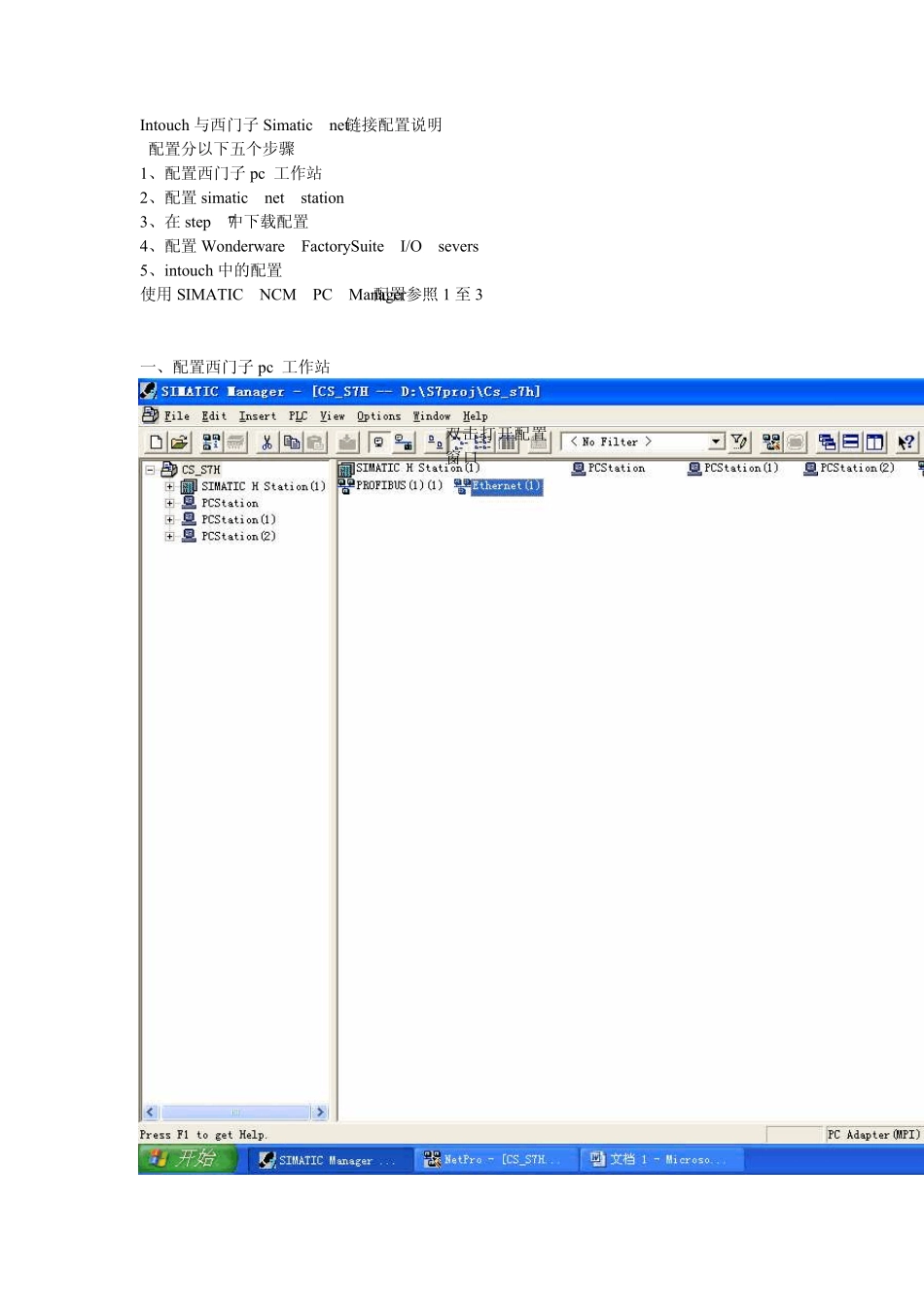
Intouch 与西门子Simatic net 链接配置说明 配置分以下五个步骤 1、配置西门子pc 工作站 2、配置simatic net station 3、在 step 7中下载配置 4、配置Wonderware FactorySuite I/O severs 5、intouch 中的配置 使用 SIMATIC NCM PC Manager配置参照 1 至 3 一、配置西门子pc 工作站 双击打开配置窗口 1
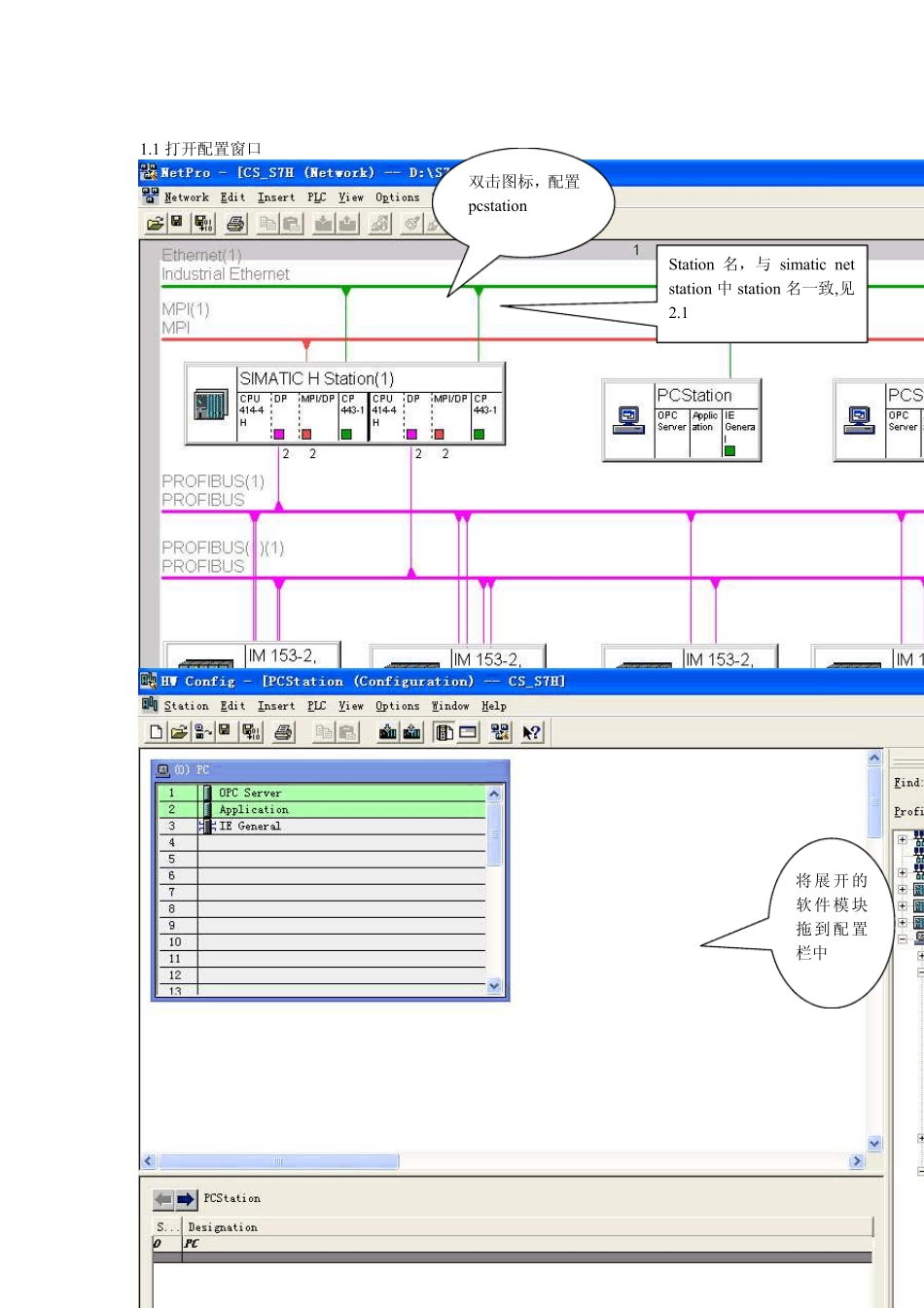
1 打开配置窗口 双击图标,配置pcstation 将展开的软件模块拖到配置栏中 Station 名,与 simatic net station 中 station 名一致,见2
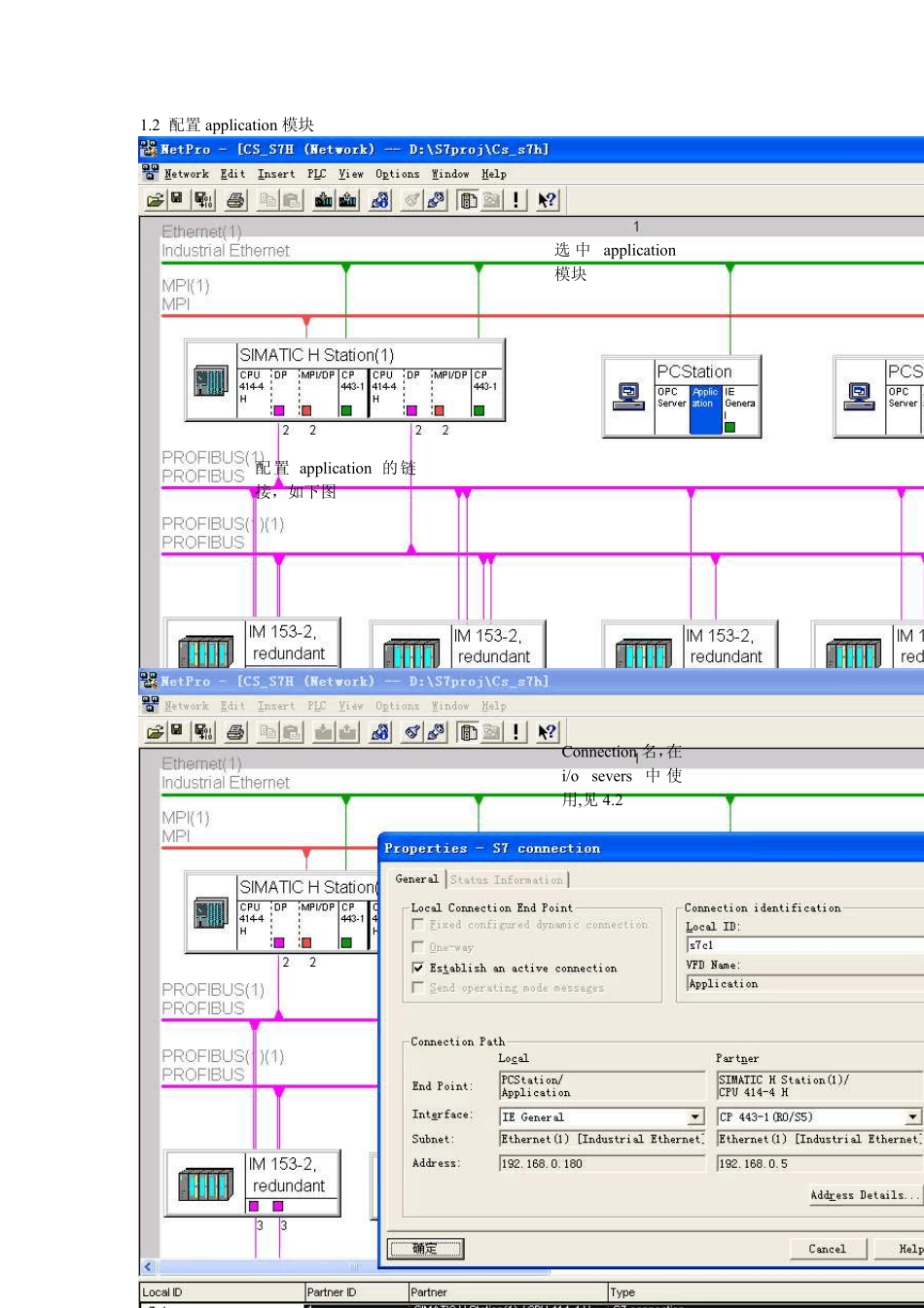
2 配置application 模块 选中application模块 配置application 的链接,如下图 Connection 名,在i/o sev ers 中使用,见 4
2 二、配置 simatic net station 2
1 配置 opc serv er Station 名,与 step7 中 station名一致,见 1
2 配置appliction 2
3 配置IE general 三、在 step 7中下载配置 3
1 Setting the PG-PC Interface 3
2 编译下载 启动 Setting the PG-PC Interface 选择 pg/pc 接入路径(内部、mpi , 网卡等方式) 四、配置 Wonderware FactorySuite I/O severs 4
2 配置 Topic 编 译 后 下 载 配置,simetic net配置结束 五、intou ch 中配置 5
1 配置 intou ch 访问名 Topic 名称,在 intou ch 标记字典中用到,见 5
1 Connection 名 称 , 在s