电脑桌面
添加小米粒文库到电脑桌面
安装后可以在桌面快捷访问

三层交换机与路由器的配置-实例

三层交换机与路由器的配置-实例_第1页
1/5
三层交换机与路由器的配置-实例_第2页
2/5
三层交换机与路由器的配置-实例_第3页
3/5
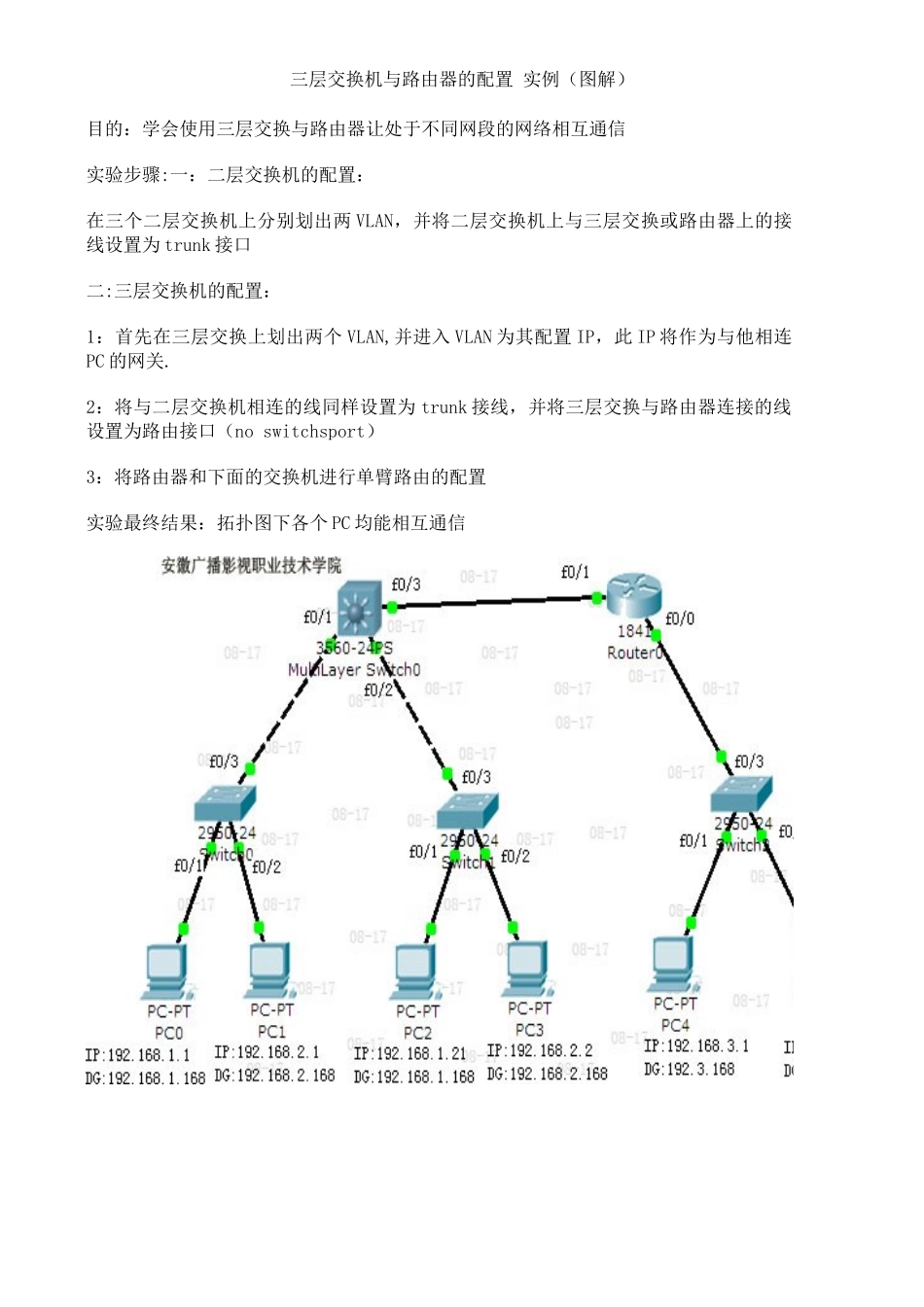
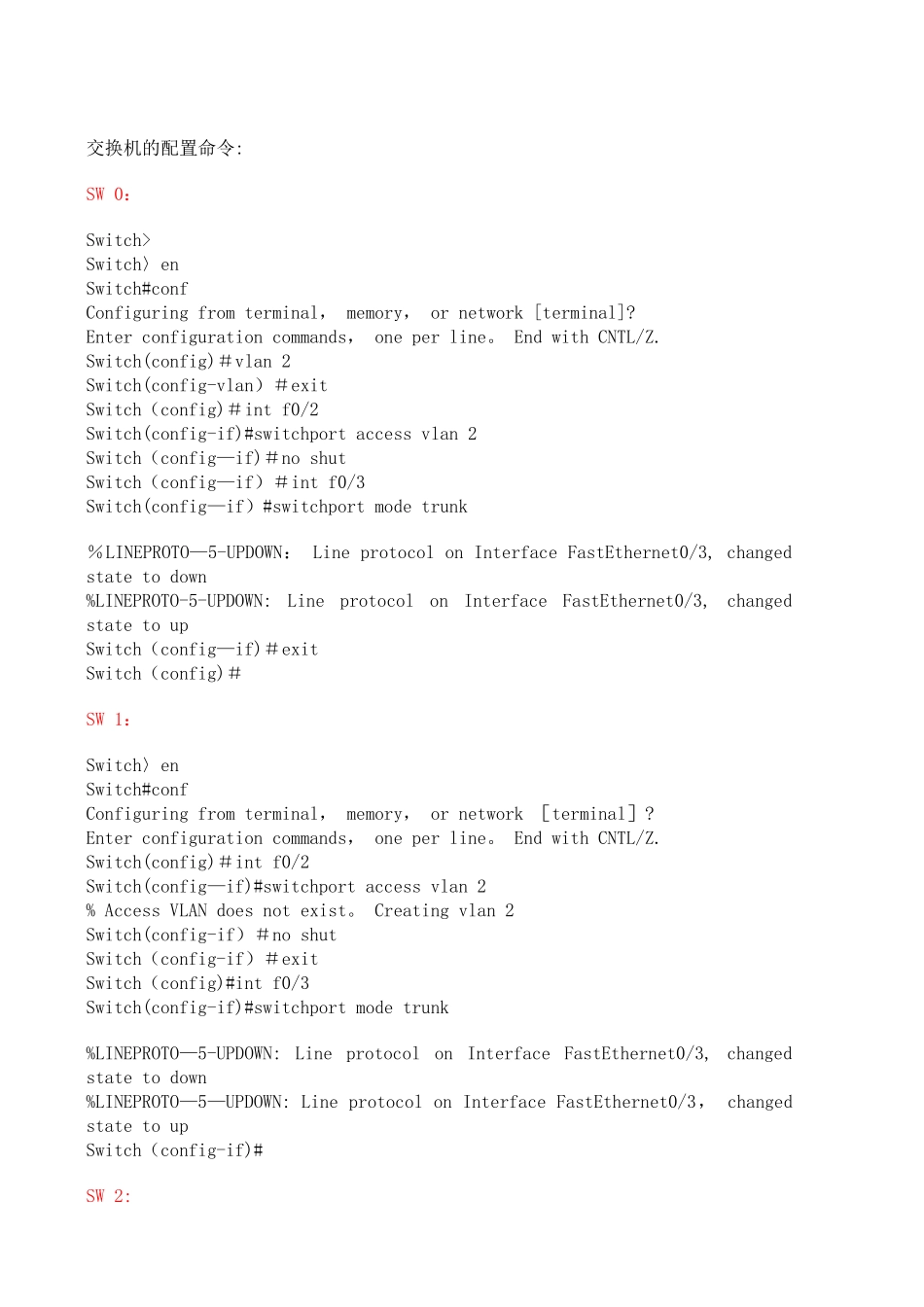
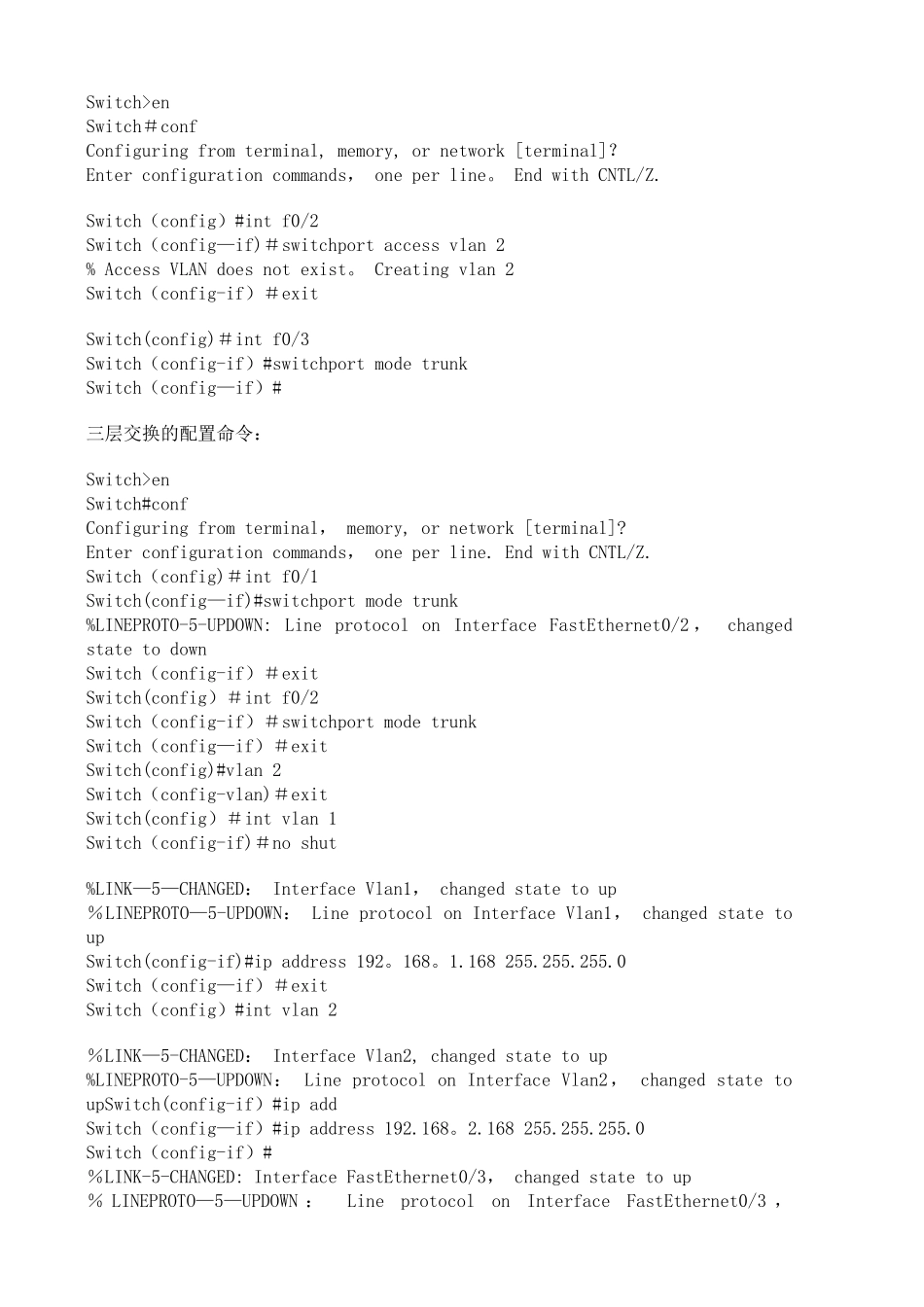
三层交换机与路由器的配置 实例(图解)目的:学会使用三层交换与路由器让处于不同网段的网络相互通信实验步骤:一:二层交换机的配置:在三个二层交换机上分别划出两 VLAN,并将二层交换机上与三层交换或路由器上的接线设置为 trunk 接口二:三层交换机的配置:1:首先在三层交换上划出两个 VLAN,并进入 VLAN 为其配置 IP,此 IP 将作为与他相连PC 的网关.2:将与二层交换机相连的线同样设置为 trunk 接线,并将三层交换与路由器连接的线设置为路由接口(no switchsport)3:将路由器和下面的交换机进行单臂路由的配置实验最终结果:拓扑图下各个 PC 均能相互通信交换机的配置命令:SW 0:Switch>Switch〉enSwitch#confConfiguring from terminal, memory, or network [terminal]? Enter configuration commands, one per line。 End with CNTL/Z.Switch(config)#vlan 2Switch(config-vlan)#exitSwitch(config)#int f0/2Switch(config-if)#switchport access vlan 2Switch(config—if)#no shutSwitch(config—if)#int f0/3Switch(config—if)#switchport mode trunk %LINEPROTO—5-UPDOWN: Line protocol on Interface FastEthernet0/3, changed state to down%LINEPROTO-5-UPDOWN: Line protocol on Interface FastEthernet0/3, changed state to upSwitch(config—if)#exitSwitch(config)#SW 1:Switch〉en Switch#confConfiguring from terminal, memory, or network [terminal]? Enter configuration commands, one per line。 End with CNTL/Z.Switch(config)#int f0/2Switch(config—if)#switchport access vlan 2% Access VLAN does not exist。 Creating vlan 2Switch(config-if)#no shutSwitch(config-if)#exitSwitch(config)#int f0/3Switch(config-if)#switchport mode trunk %LINEPROTO—5-UPDOWN: Line protocol on Interface FastEthernet0/3, changed state to down%LINEPROTO—5—UPDOWN: Line protocol on Interface FastEthernet0/3, changed state to upSwitch(config-if)#SW 2:Switch>enSwitch#confConfiguring from terminal, memory, or network [terminal]? Enter configuration commands, one per line。 End with CNTL/Z.Switch(config)#int f...

1、当您付费下载文档后,您只拥有了使用权限,并不意味着购买了版权,文档只能用于自身使用,不得用于其他商业用途(如 [转卖]进行直接盈利或[编辑后售卖]进行间接盈利)。
2、本站所有内容均由合作方或网友上传,本站不对文档的完整性、权威性及其观点立场正确性做任何保证或承诺!文档内容仅供研究参考,付费前请自行鉴别。
3、如文档内容存在违规,或者侵犯商业秘密、侵犯著作权等,请点击“违规举报”。

碎片内容

三层交换机与路由器的配置-实例

确认删除?
VIP
微信客服
  • 扫码咨询
会员Q群
  • 会员专属群点击这里加入QQ群
客服邮箱
回到顶部