单 击 鼠 标 右 键 没 有 新 建 WORD\EXCEL怎 么办
(03 版o ffice)单击鼠标右键没有新建WORD\EXCEL 怎么办
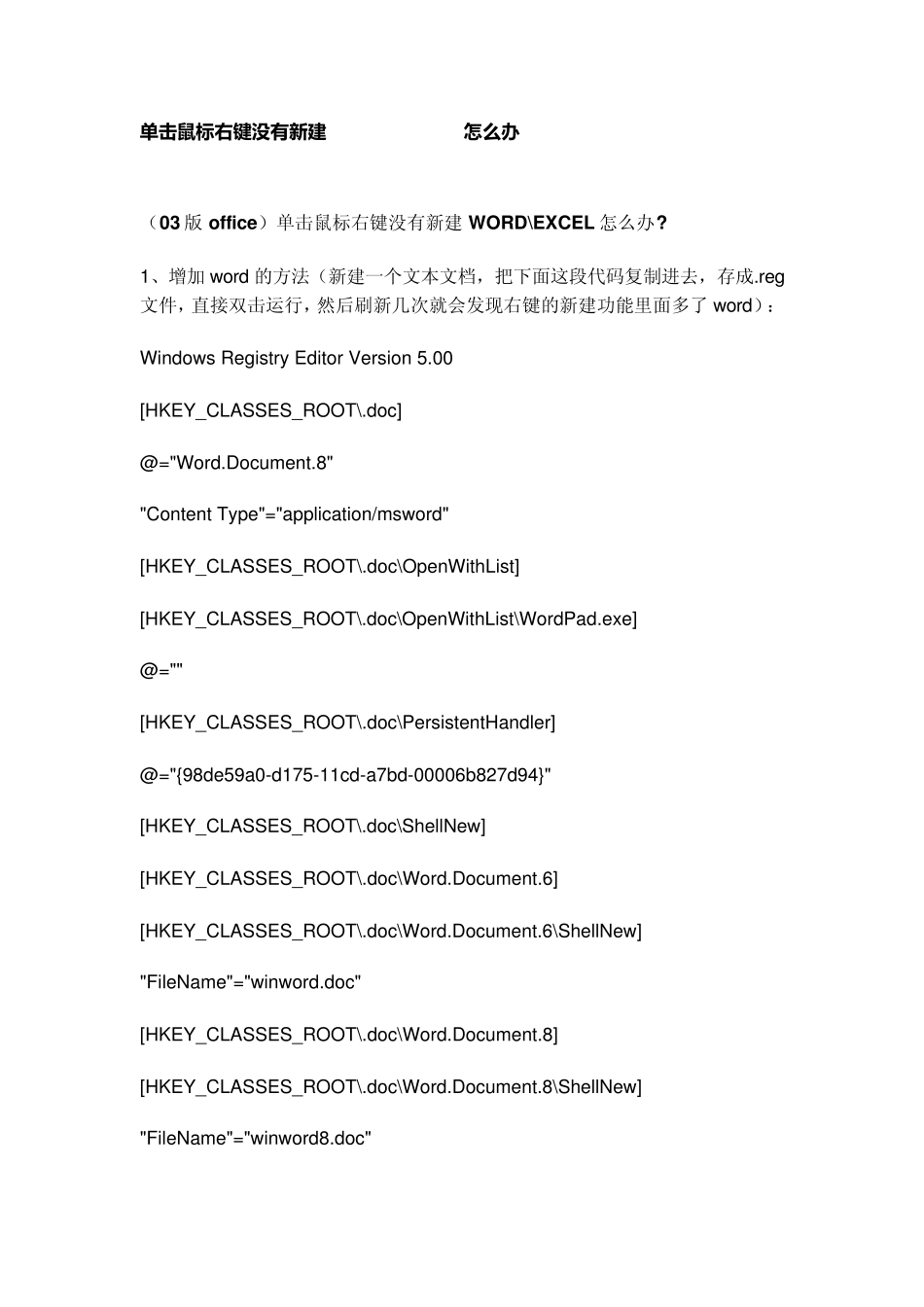
1、增加 word 的方法(新建一个文本文档,把下面这段代码复制进去,存成
reg文件,直接双击运行,然后刷新几次就会发现右键的新建功能里面多了 word): Windows Registry Editor Version 5
00 [HKEY_CLASSES_ROOT\
doc] @="Word
Document
8" "Content Type"="application/msword" [HKEY_CLASSES_ROOT\
doc\OpenWithList] [HKEY_CLASSES_ROOT\
doc\OpenWithList\WordPad
exe] @="" [HKEY_CLASSES_ROOT\
doc\PersistentHandler] @="{98de59a0-d175-11cd-a7bd-00006b827d94}" [HKEY_CLASSES_ROOT\
doc\ShellNew] [HKEY_CLASSES_ROOT\
doc\Word
Document
6] [HKEY_CLASSES_ROOT\
doc\Word
Document
6\ShellNew] "FileName"="winword
doc" [HKEY_CLASSES_ROOT\
doc\Word
Document
8] [HKEY_CLASSES_ROOT\
doc\Word
Document
8\ShellNew] "FileName"="winword8
doc" [HKEY_CLASSES_ROOT\
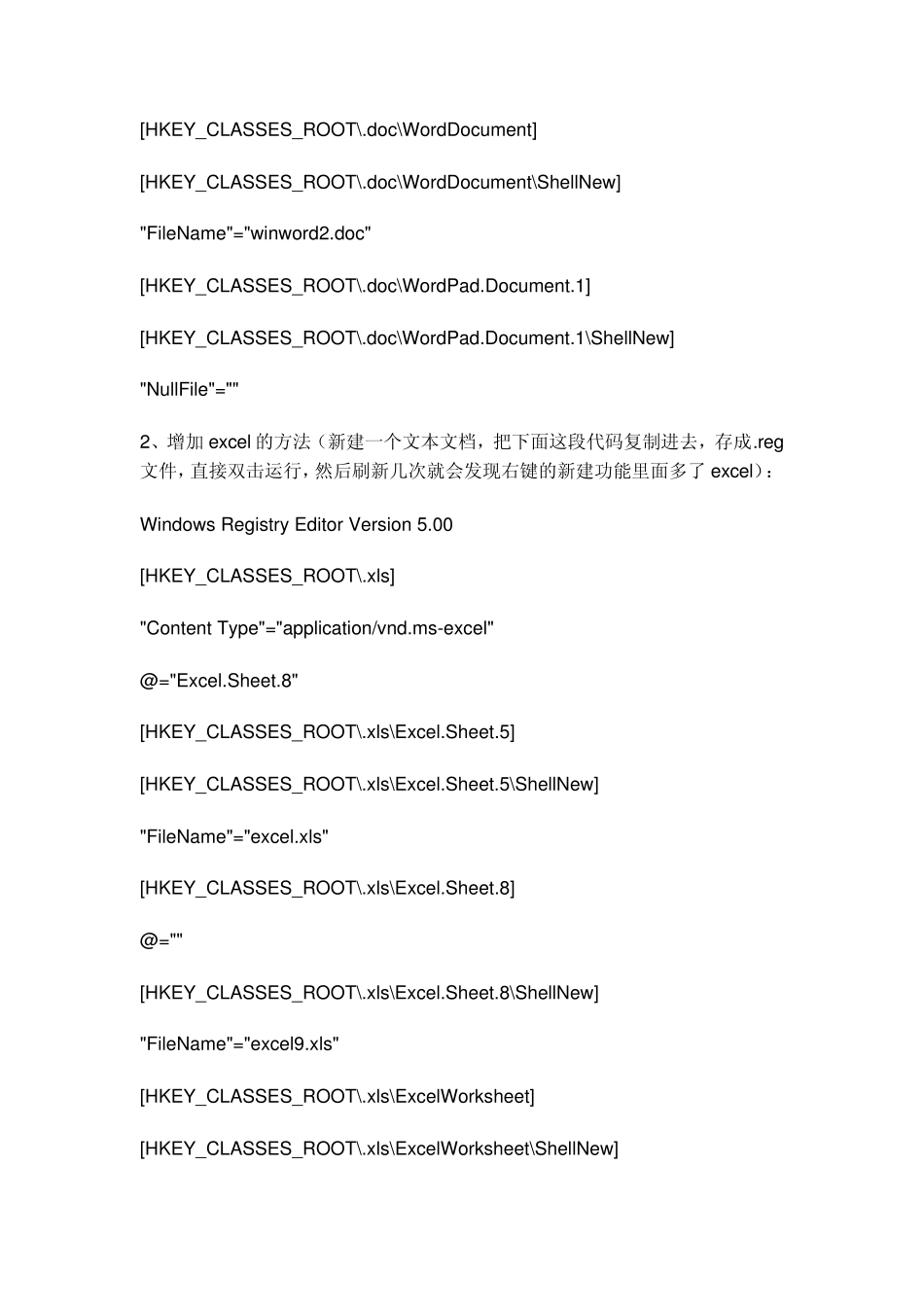
doc\WordDocument] [HKEY_CLASSES_ROOT\
doc\WordDocument\ShellN