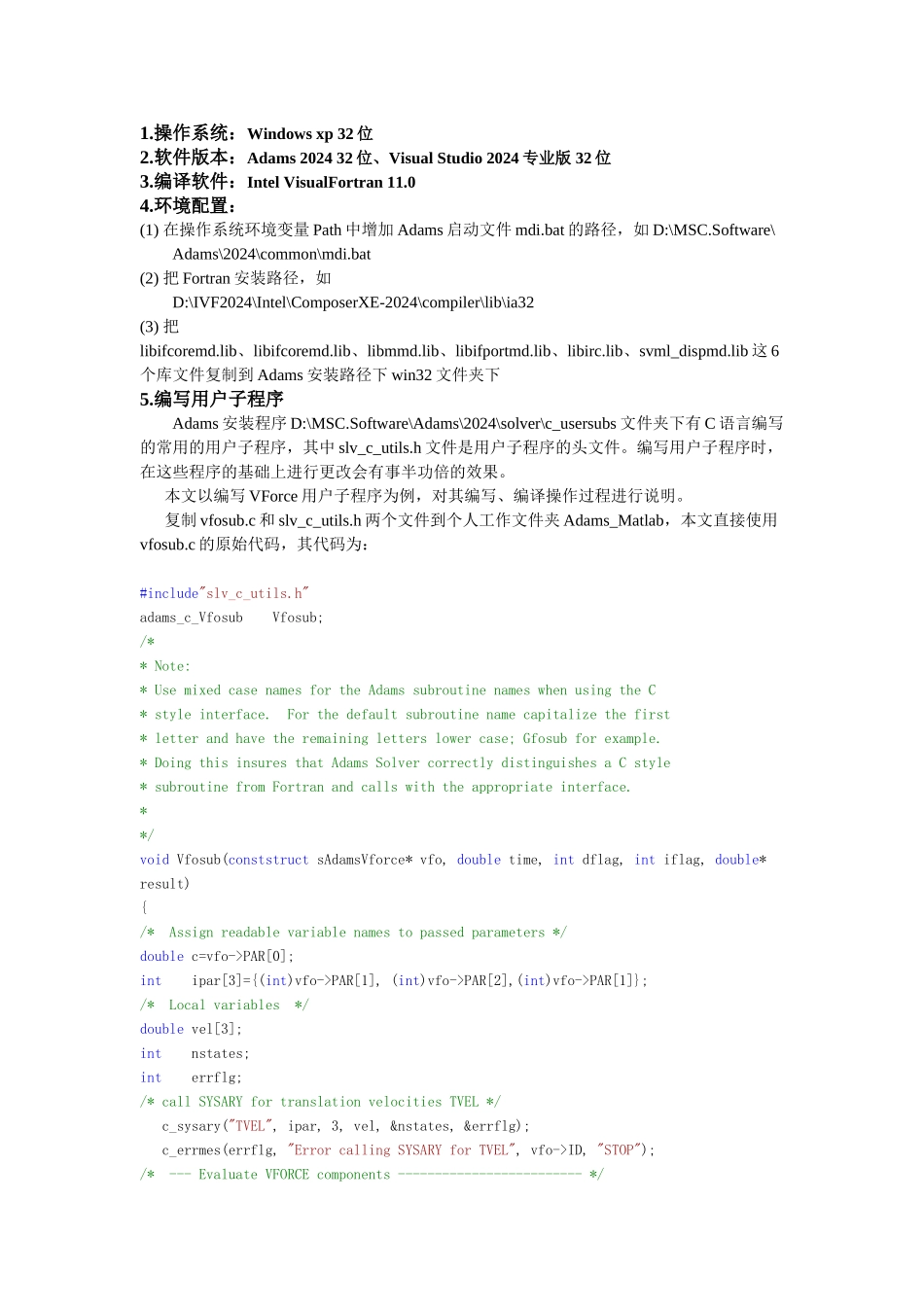
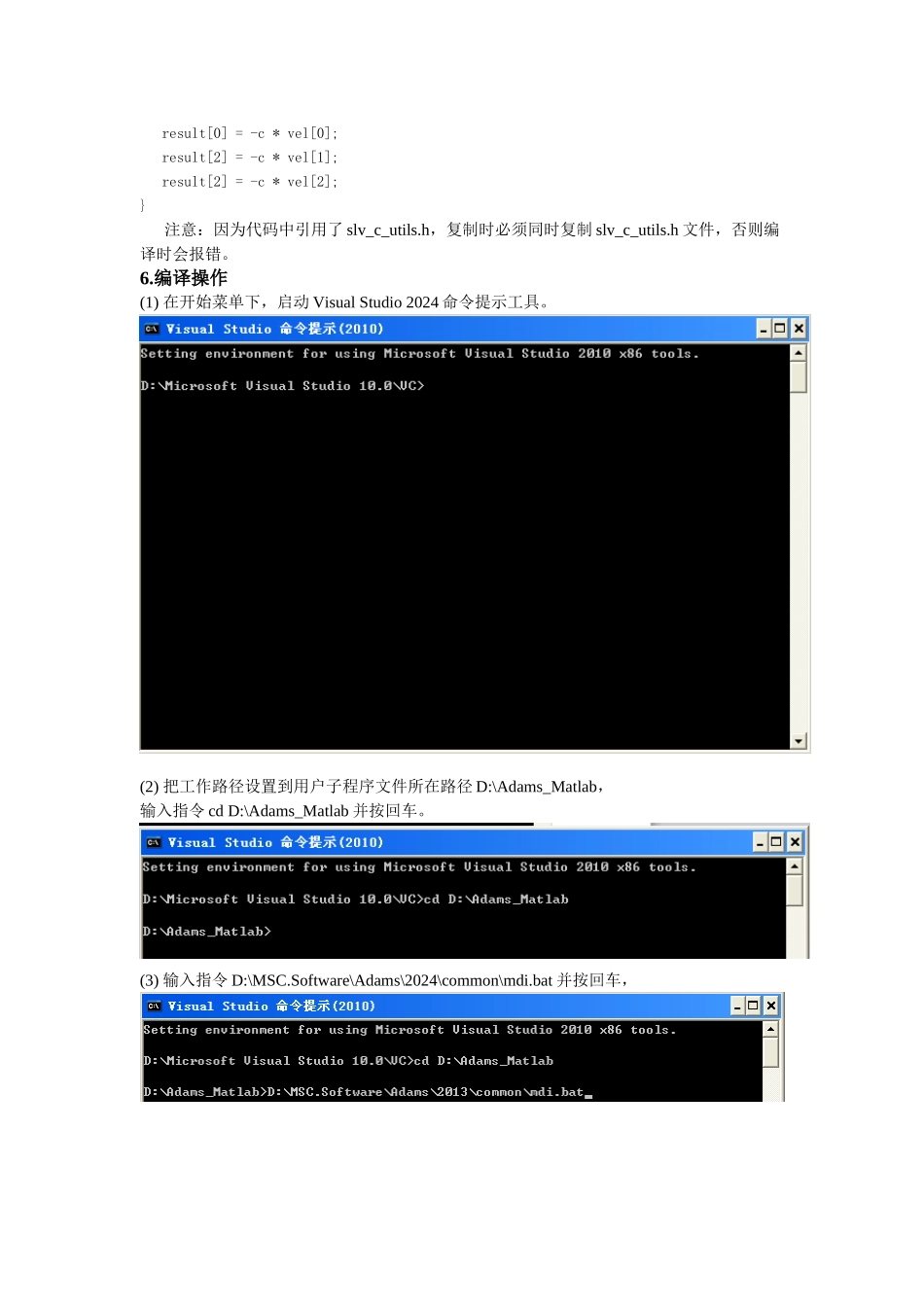
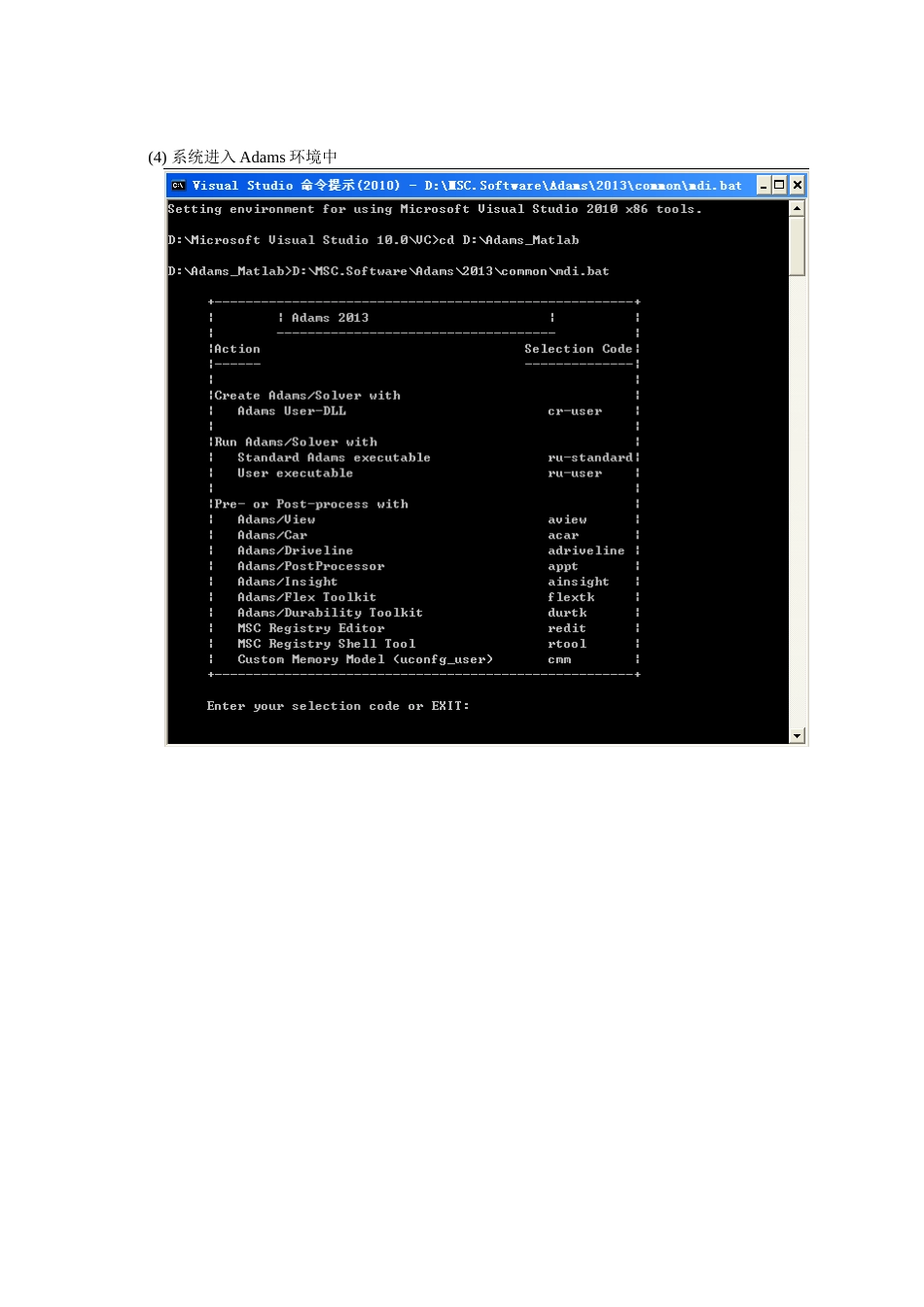
操作系统:Windows xp 32 位2
软件版本:Adams 2024 32 位、Visual Studio 2024 专业版 32 位3
编译软件:Intel VisualFortran 11
环境配置:(1) 在操作系统环境变量 Path 中增加 Adams 启动文件 mdi
bat 的路径,如 D:\MSC
Software\Adams\2024\common\mdi
bat(2) 把 Fortran 安装路径,如D:\IVF2024\Intel\ComposerXE-2024\compiler\lib\ia32(3) 把libifcoremd
lib、libifcoremd
lib、libmmd
lib、libifportmd
lib、libirc
lib、svml_dispmd
lib 这 6个库文件复制到 Adams 安装路径下 win32 文件夹下5
编写用户子程序Adams 安装程序 D:\MSC
Software\Adams\2024\solver\c_usersubs 文件夹下有 C 语言编写的常用的用户子程序,其中 slv_c_utils
h 文件是用户子程序的头文件
编写用户子程序时,在这些程序的基础上进行更改会有事半功倍的效果
本文以编写 VForce 用户子程序为例,对其编写、编译操作过程进行说明
复制 vfosub
c 和 slv_c_utils
h 两个文件到个人工作文件夹 Adams_Matlab,本文直接使用vfosub
c 的原始代码,其代码为:#include"slv_c_utils
h"adams_c_Vfosub Vfosub;/** Note: * Use mixed case names for the Adams subroutine names when using the C * style interfa